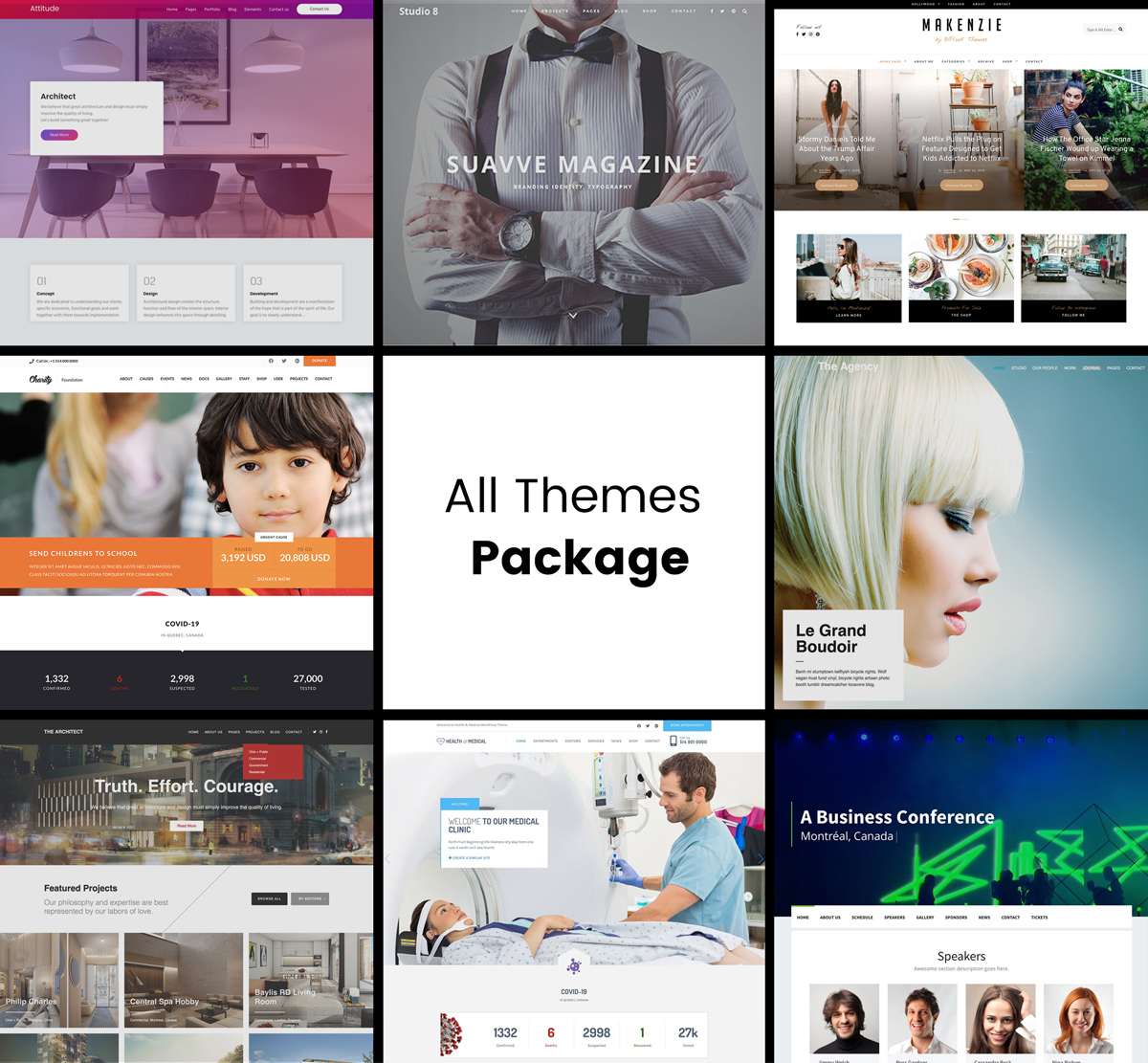
Welcome to our comprehensive nonprofit website guide. Building a nonprofit website doesn’t have to be complicated or expensive. This nonprofit website guide covers everything you need to create a professional, donation-ready website that helps your organization make a bigger impact.
Why Your Nonprofit Needs This Website Guide
Your website is often the first interaction potential donors, volunteers, and beneficiaries have with your organization. A well-designed nonprofit website can:
- Build trust and credibility with potential donors
- Accept online donations 24/7, even while you sleep
- Share your mission and impact stories
- Recruit volunteers and supporters
- Reduce administrative work through online forms and automation
- Improve transparency by sharing reports and updates
The good news? With WordPress and the right theme, you can build a professional nonprofit website for less than $10/month.
What You’ll Learn in This Nonprofit Website Guide
This guide is organized into sections to help you at every stage of building and growing your nonprofit website:
- Getting Started – Planning and setup basics
- Choosing the Right Theme – Best nonprofit WordPress themes
- Essential Features – What every nonprofit site needs
- Accepting Donations – Payment setup and optimization
- Growing Your Impact – Strategies to increase donations
- Real Examples – Nonprofit websites for inspiration
Getting Started: Building Your Nonprofit Website
Before diving into design and features, you need to set up the foundation of your website. Here’s what this nonprofit website guide recommends:
1. Domain Name for Your Nonprofit Website
Your domain name is your website’s address (like yournonprofit.org). For nonprofits, we recommend:
- Using a .org extension (signals nonprofit status)
- Keeping it short and memorable
- Matching your organization’s official name
- Avoiding hyphens and numbers
2. Web Hosting
Hosting is where your website files live. For nonprofits, look for:
- Nonprofit discounts – Many hosts offer special pricing
- SSL certificate included – Required for accepting donations
- Good uptime – Your donation page needs to work 24/7
- WordPress support – Makes installation easier
For a detailed walkthrough, see our guide: How to Build a Nonprofit Website For Less Than $10/m
3. WordPress Installation
WordPress powers over 40% of all websites and is the best choice for nonprofits because:
- It’s free and open source
- Thousands of nonprofit-specific themes available
- Donation plugins integrate seamlessly
- Easy to update without technical knowledge
- Large community for support and resources
Most hosting providers offer one-click WordPress installation, making setup simple even for beginners.
Choosing the Right Nonprofit WordPress Theme
Your theme determines how your website looks and functions. For nonprofits, the right theme should include:
- Donation integration – Built-in support for donation forms
- Events calendar – Promote fundraisers and activities
- Cause/project showcases – Highlight your programs
- Team/staff pages – Build trust by showing your people
- Blog functionality – Share news and impact stories
- Mobile responsive – Many donors give from phones
Best Nonprofit WordPress Themes
We’ve curated the best themes specifically designed for charitable organizations:
- WordPress Themes for NonProfit Organizations – Complete premium roundup
- Best Free WordPress Themes for Charity/Nonprofit – Budget-friendly options
- Top Church WordPress Themes – For religious organizations
- Free Church WordPress Themes – Free options for churches
- Best Mosque and Islamic WordPress Themes – For Islamic organizations
For step-by-step installation help, see: How to Install a Nonprofit WordPress Theme
10 Must-Have Features for Your Nonprofit Website
Based on our experience working with hundreds of nonprofits, this nonprofit website guide identifies these features as essential:
- Clear mission statement – Visitors should understand your purpose within seconds
- Prominent donate button – Visible on every page, especially above the fold
- Impact statistics – Show the difference donations make
- Stories and testimonials – Emotional connection drives donations
- Transparent financials – Build trust with annual reports
- Multiple giving options – One-time, monthly, specific amounts
- Events calendar – Promote fundraisers and volunteer opportunities
- Email signup – Build your supporter list
- Social media integration – Extend your reach
- Mobile optimization – Over 50% of donations come from mobile
For a deeper dive into each feature, read: 10 Must-Have Features for Your Non-Profit Website
Accepting Online Donations on Your Nonprofit Website
Online donations are the lifeblood of modern nonprofits. Here’s how to set up and optimize your donation system:
WordPress Donation Plugins
The right plugin makes accepting donations simple and secure. Popular options include:
- GiveWP – Most popular WordPress donation plugin
- Charitable – Flexible and developer-friendly
- PayPal Donations – Simple PayPal integration
- Stripe – Accept credit cards directly
See our complete guide: The 8 Top WordPress Donation Plugins
Donation Page Best Practices
- Keep the form short and simple – Only ask for essential information
- Offer suggested amounts – $25, $50, $100, $250, Custom
- Enable recurring donations – Monthly giving provides stable income
- Show impact statements – “$50 feeds a family for a week”
- Include security badges – SSL, payment processor logos
- Add a matching gift option – Many employers match donations
Growing Your Impact: Strategies to Increase Donations
Building the website is just the beginning. Here are proven strategies from our nonprofit website guide to increase charitable donations:
7 Ways to Increase Nonprofit Donations
- Tell compelling stories – People give to people, not organizations
- Make giving easy – Reduce friction in the donation process
- Follow up personally – Thank donors within 48 hours
- Show impact – Report back on how donations were used
- Create urgency – Matching campaigns and deadlines work
- Segment your audience – Different messages for different donors
- Optimize for mobile – Test your donation page on phones
Read the full guide: 7 Ways Non-Profit Organizations Can Increase Charitable Donations
Real Examples: Nonprofit Websites for Inspiration
Sometimes the best way to learn is by example. We’ve compiled real nonprofit websites using our themes:
7 Examples of Church Websites Using Benevolence Theme
These examples show how different organizations have customized their sites to match their unique missions while maintaining professional, donation-optimized designs.
Ready to Build Your Nonprofit Website?
You now have everything you need from this nonprofit website guide to create a professional site that drives donations and supports your mission. Here’s your action plan:
- Set up hosting – Get started for under $10/month
- Choose a theme – Browse nonprofit themes
- Install donation plugin – Compare donation plugins
- Add essential pages – Home, About, Donate, Programs, Contact
- Launch and promote – Share with your supporters
Questions? Our team specializes in nonprofit WordPress themes and we’re here to help. Contact us or explore our nonprofit theme collection.