Not everyone knows how to code, and that’s okay. Drag-and-drop WordPress themes let you build professional websites visually—no HTML, CSS, or PHP required. Simply drag elements where you want them and customize until your site looks exactly right.
We’ve selected the best drag-and-drop WordPress themes for 2026 based on ease of use, design quality, and the power of their built-in builders. Whether you’re a small business owner, freelancer, or blogger, these themes make website building accessible.
What Makes a Good Drag-and-Drop Theme?
The best visual builder themes offer:
- Intuitive Interface – Build pages without tutorials
- Pre-built Templates – Start with professional designs
- Responsive Preview – See how pages look on mobile while editing
- Undo/Redo – Experiment without fear
- Fast Performance – Builder shouldn’t slow your site
- Regular Updates – Compatibility with latest WordPress
- Good Support – Help when you need it
Best Drag-and-Drop WordPress Themes
1. Attitude (Most Popular)

Attitude is a multifunctional drag-and-drop WordPress theme integrated with Visual Composer. Create beautiful content without touching code—just drag elements into place.
Key Features:
- Visual Composer Included – Premium page builder at no extra cost
- 5 Homepage Demos – Conference, Architect, Agency, Nonprofit, Creative
- Fully Customizable – Change colors, fonts, layouts visually
- Extremely Fast – Optimized despite builder functionality
- Child Theme Included – Safe customizations
- Multilingual Ready – Build sites in any language
2. Flavor Developer – Developer
Flavor Developer – Developer comes with Elementor integration, the most popular WordPress page builder. Build anything you can imagine with a massive widget library.
Key Features:
- Elementor compatibility
- Starter templates
- Header/footer builder
- WooCommerce support
- Schema markup
3. Developer Developer Developer
Developer Developer Developer includes WPBakery Page Builder, a visual page builder with 40+ content elements. Design posts and pages in real-time with drag-and-drop.
Key Features:
- WPBakery Page Builder included
- 290+ demo websites
- 85+ starter sites
- Slider Revolution included
- WooCommerce ready
4. Make
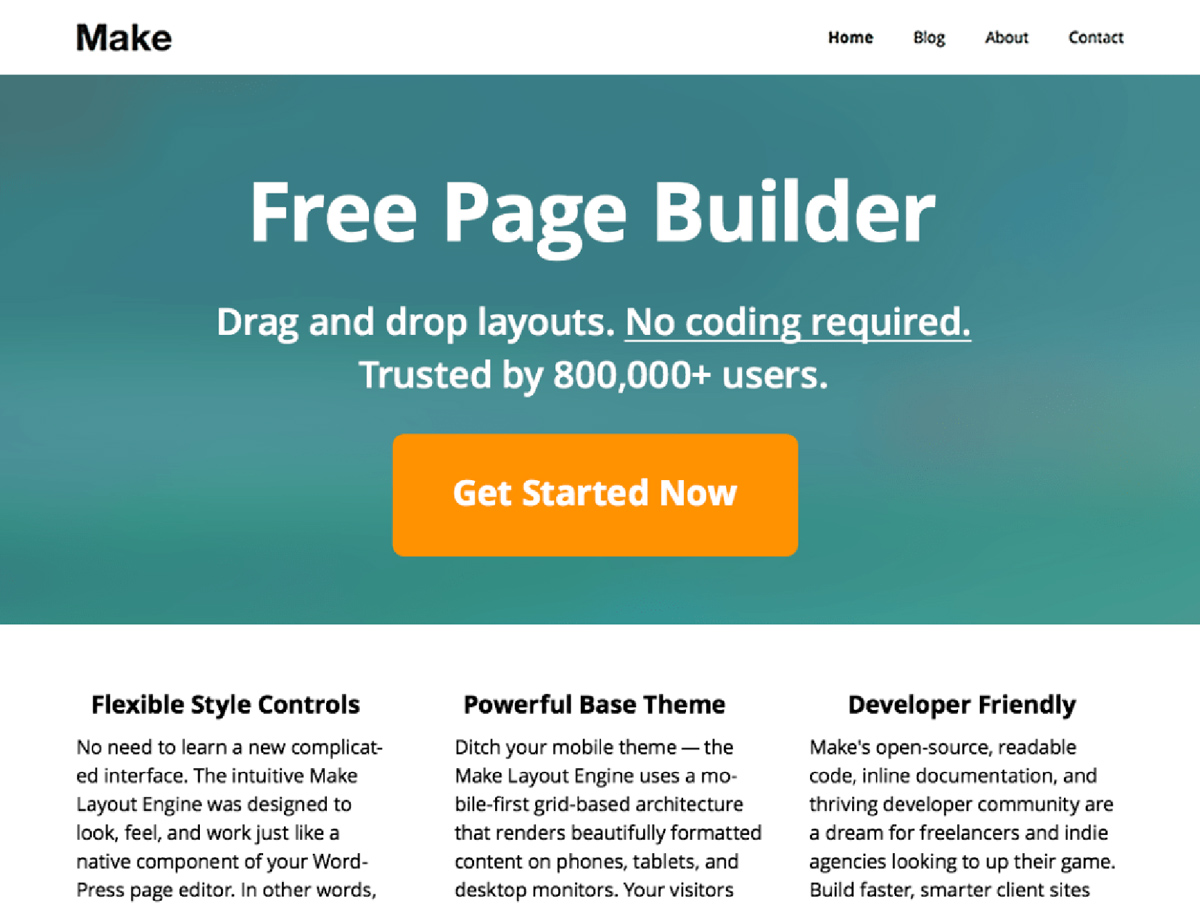
Make is a simple, multipurpose theme with a powerful built-in page builder. No premium plugin needed—drag-and-drop is included.
Key Features:
- Built-in Page Builder – No extra plugins required
- Galleries & Banners – Showcase content beautifully
- Customizer Options – Brand your site without code
- Responsive Design – Perfect on all devices
- Plugin Compatible – Works with Jetpack, Gravity Forms
5. Writee
Writee is built around Developer, combining easy visual editing with flexible layout options.
Key Features:
- Developer integration
- Smart Slider 3
- WooCommerce support
- Responsive design
- Free theme
Page Builder Comparison
Different themes include different page builders. Here’s how they compare:
Visual Composer / WPBakery
- Pros: Mature, widely used, many templates
- Cons: Can be slow, learning curve
- Best for: Complex business sites
Elementor
- Pros: Intuitive, fast, huge widget library
- Cons: Pro version needed for advanced features
- Best for: Most users, especially beginners
Gutenberg (Native WordPress)
- Pros: Built-in, lightweight, future-proof
- Cons: Less design flexibility than page builders
- Best for: Content-focused sites, performance priority
For more on native WordPress editing, see our guide to Gutenberg WordPress themes.
Tips for Using Drag-and-Drop Builders
1. Start with Templates
Don’t build from scratch. Import a demo or template, then customize. It’s faster and you’ll learn the builder’s capabilities.
2. Keep It Simple
Just because you can add 50 elements doesn’t mean you should. Clean, focused designs convert better than cluttered pages.
3. Check Mobile Preview
Always preview your pages on mobile. What looks great on desktop may need adjustments for smaller screens.
4. Watch Performance
Page builders add code. Use image optimization and consider caching to keep load times fast.
5. Save Reusable Sections
Create sections once, reuse them across pages. Most builders let you save templates for common elements like CTAs or testimonials.
Frequently Asked Questions
What’s the best drag-and-drop WordPress theme?
The Attitude theme by WPlook includes Visual Composer and works for multiple purposes. For Elementor users, Flavor Developer – Developer is the most popular choice.
Do drag-and-drop themes slow down websites?
Page builders add some code overhead, but well-optimized themes minimize this. Choose themes known for performance and use caching plugins. The Attitude theme is specifically optimized for speed despite including Visual Composer.
Can I switch page builders later?
Switching is possible but painful. Builder-specific shortcodes don’t transfer, so you’d need to rebuild pages. Choose your builder carefully and stick with it.
Should I use Gutenberg or a page builder?
For blogs and content-focused sites, Gutenberg is increasingly sufficient and performs better. For complex landing pages, business sites, or when you need advanced design control, page builders still have the edge.
Conclusion
Drag-and-drop WordPress themes democratize web design. The Attitude theme provides everything most users need with Visual Composer included. For simpler needs, free themes like Make offer capable built-in builders.
Ready to start building? Check our guide on how to make a website or explore the best WordPress hosting for your new site.
Get Attitude Theme Browse All Themes Attitude, Drag and Drop, NonProfit, WordPress, WordPress Themes