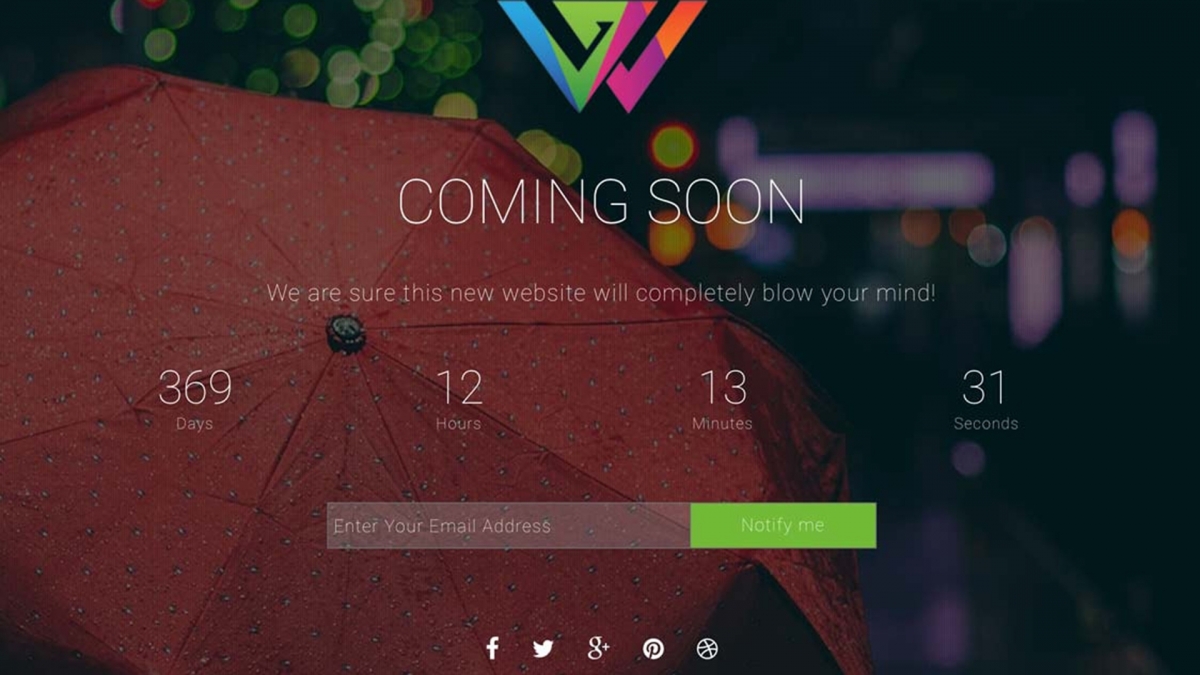
Every WordPress site needs a maintenance mode plugin at some point: launching, redesigning, fixing a bug, swapping themes. The question is which one to install. The wrong plugin gives visitors a generic “under construction” sign and wastes the impression. The right one captures leads, builds anticipation, and keeps your brand intact while you work behind the scenes.
This guide compares ComingSoon, the maintenance mode plugin built by WPlook, against four of the most popular alternatives on WordPress.org. We rank by what actually matters for sales-driven sites: cost over time, lead capture, and how quickly you can ship a polished page. This guide is part of our complete WordPress plugins guide.
| Plugin | Price | Countdown | Newsletter | Templates | Best For |
|---|---|---|---|---|---|
| ComingSoon by WPlook | $29 one-time | Yes | Yes | Built-in | Polished launches |
| SeedProd | $39.50/yr+ | Yes | Yes | 300+ | Custom landing pages |
| LightStart | Free (Pro extra) | Yes | Yes (free) | Limited | Hobby sites |
| Under Construction Page | Free / $49 Pro | Pro only | Pro only | 60 | Template variety |
| Maintenance | Free | No | No | None | Quick downtime |
How We Compared These Plugins
We judged each maintenance mode plugin on five criteria, in order of impact on your bottom line:
- Total cost over 3 years. A one-time license beats annual renewals on the math, even if the sticker price is higher.
- Lead capture in the free tier. A maintenance page without a subscribe form is a wasted impression.
- Setup time. Five minutes to a polished page, or thirty minutes inside a builder.
- SEO behavior. Proper 503 status during downtime so Google does not deindex pages.
- Upsell pressure. Whether the plugin nags inside the admin or stays out of the way.
The 5 Best WordPress Maintenance Mode Plugins for 2026
ComingSoon by WPlook
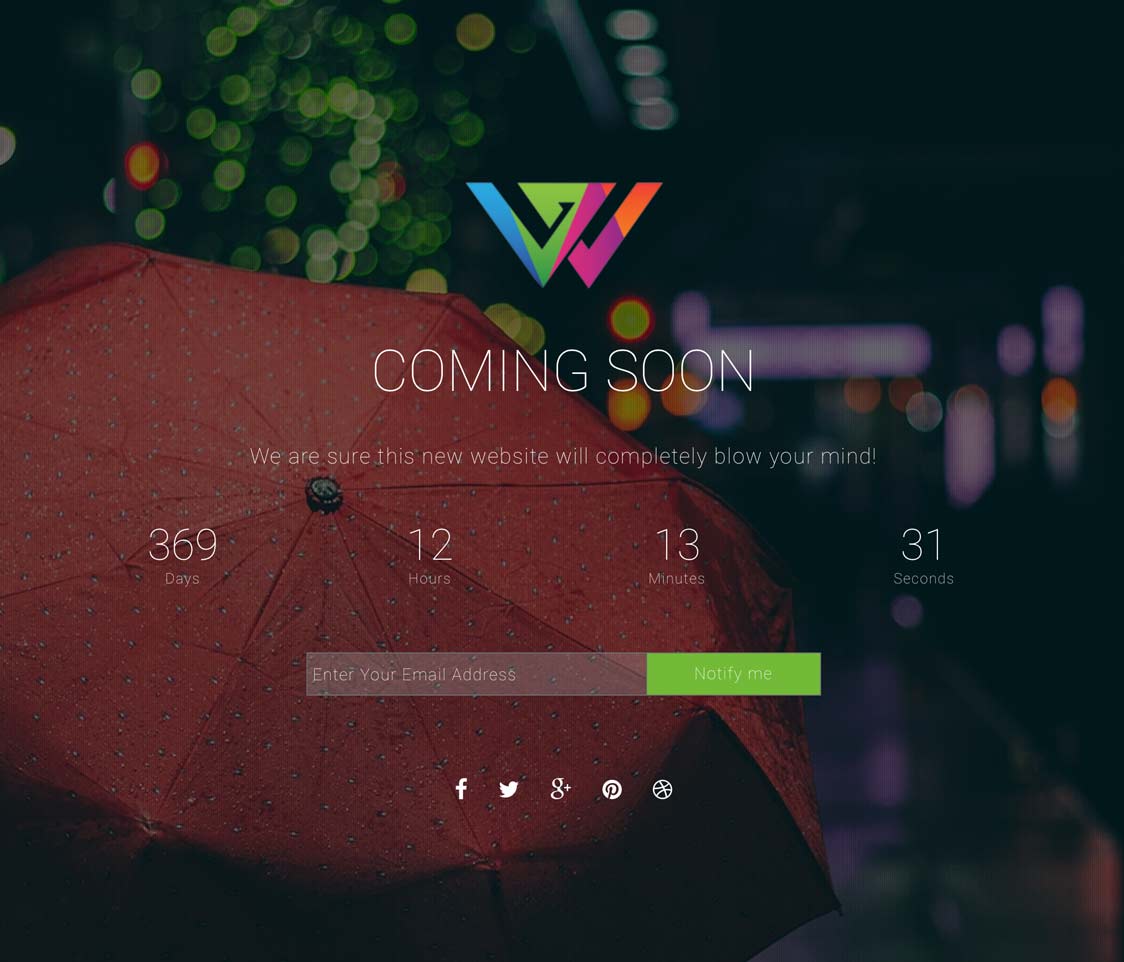
ComingSoon is the maintenance mode plugin built for site owners who treat downtime as a marketing opportunity. One-click activation puts your site behind a polished placeholder page in seconds, while logged-in admins continue to see the full site. The plugin ships with countdown timers, newsletter capture, video and image backgrounds, and a clean dashboard that does not bury the settings behind a wizard.
Unlike freemium alternatives that lock essentials behind a Pro upgrade, ComingSoon includes every feature in the $29 one-time license. No yearly renewal, no per-site limits, no upsells inside the admin. It is the plugin we use on every WPlook launch, and the one most aligned with the rest of our theme ecosystem.
Key Features
- Countdown timer to a configurable launch date
- Newsletter signup form to capture leads while offline
- Video and image backgrounds with built-in templates
- Multiple color schemes editable from the dashboard
- Social network links and custom logo support
- WooCommerce compatible (selectively gate pages)
Best For: WPlook theme users and serious site owners who want one polished plugin without subscription fatigue.
SeedProd

SeedProd is the most-installed coming soon plugin on the market, with a free version on WordPress.org and a Pro tier that starts at $39.50 per year. The Pro builder gives you 300+ landing page templates and a drag-and-drop editor that overlaps heavily with full page builders like Elementor or Beaver Builder.
The trade-off is bloat. SeedProd loads its own block editor, asset pipeline, and template library even when all you need is a five-second maintenance toggle. For a single-purpose maintenance page on a fast-loading site, that is a lot of overhead. The renewal model also means the price compounds every year.
Key Features
- 300+ landing page templates included in Pro
- Drag-and-drop page builder with custom blocks
- Subscriber list integration (Mailchimp, ConvertKit, more)
- A/B testing and analytics in higher tiers
- Free version available on WordPress.org
- Annual subscription ($39.50/year and up)
Best For: Agencies building custom landing pages from scratch and already paying for a builder-style stack.
LightStart (formerly WP Maintenance Mode)

LightStart is the rebrand of WP Maintenance Mode, a long-running free plugin with around 700,000 active installs. The free version covers the basics: a countdown, a subscribe form, GDPR consent, and a 503 status header so search engines understand the page is temporary.
The Pro version adds chatbots and AI page generation that feel disconnected from the core use case. The free tier is genuinely useful, but the UI shows its age and the upsells inside the dashboard are persistent. Updates have slowed since the rebrand.
Key Features
- Free version with countdown and subscribe form
- GDPR-compliant consent options
- Sends proper 503 status code to search engines
- Social icons and custom logo
- Around 700K active installs
- Pro tier adds AI features (not maintenance-related)
Best For: Hobby sites and freelancers who need a zero-cost maintenance page and can live with an older UI.
Under Construction Page by WebFactory

Under Construction Page ships 60 templates in the free version and a Pro tier ($49/year) that adds drag-and-drop editing, Google Analytics integration, and theme builder compatibility. It is one of the more polished free options on WordPress.org.
The downside is the constant nag bar pushing you to upgrade, and the Pro tier locks features many would consider basic, such as custom CSS and removing the WebFactory branding. The free version works, but the upgrade pressure is heavy.
Key Features
- 60 templates in the free version
- Drag-and-drop editor (Pro)
- Google Analytics 4 integration
- GDPR cookie consent
- Theme builder compatible
- Pro tier $49/year per site
Best For: Site owners who want a wide template selection out of the box and accept aggressive upsell prompts.
Maintenance by Florent Maillefaud

Maintenance by Florent Maillefaud is the simplest plugin on this list. Install, set a logo and background, click activate. There is no countdown, no newsletter, no template gallery. You get a clean 503 page and a centered logo. Around 700,000 sites use it precisely because of that minimalism.
If you want anything beyond a placeholder, you will outgrow it fast. No lead capture means no marketing upside while your site is down. For a quick one-hour maintenance window, that is fine. For a launch campaign, it is the wrong tool.
Key Features
- Truly free, no Pro tier
- Logo, background, and centered message
- Proper 503 HTTP status code
- Lightweight (single PHP file feel)
- No countdown, no email capture
- No template library or color options
Best For: Short, scheduled maintenance windows where you do not care about lead capture or branding.
Frequently Asked Questions
- Which maintenance mode plugin is best for SEO?Any plugin that sends a 503 Service Unavailable HTTP status during downtime is SEO-safe. ComingSoon, LightStart, and Maintenance all do this. SeedProd and Under Construction Page also handle 503 in their current versions. Avoid plugins that return 200 OK on the maintenance page, because Google can index the placeholder.
- Will a maintenance page hurt my Google rankings?Not if you use a plugin that returns a 503 status and you keep the maintenance window under a few hours. Google explicitly recommends 503 for planned downtime. Multi-day maintenance can affect crawling, so plan accordingly and consider exempting key pages for logged-in users.
- Can I use ComingSoon with WooCommerce?Yes. ComingSoon works with WooCommerce stores. You can put your store in maintenance mode during inventory updates, or keep checkout pages working while other pages show the maintenance notice. Logged-in admins continue to see the full site.
- Is a free maintenance mode plugin enough?For a short, scheduled window, yes. For a launch or a redesign that takes weeks, a paid plugin pays for itself in captured emails alone. ComingSoon’s one-time $29 license usually breaks even after the first 30-40 newsletter signups during downtime.
Our Pick
ComingSoon wins on every criterion that matters for a sales-driven site: one-time license, lead capture in the box, five-minute setup, and proper 503 behavior. SeedProd is the right answer if you also need a full landing page builder. LightStart and Maintenance are fine free options for short windows. Under Construction Page works if you stay in the free tier and ignore the upsell bar.
If you are running a serious WordPress site and you want one plugin you do not have to rethink every renewal, install the ComingSoon maintenance mode plugin and move on. For more recommendations across the WordPress stack, browse our complete guide to WordPress plugins.
Get ComingSoon Plugin WordPress, WordPress Plugins
Waiting for the plugin.It needs to keep informing visitors that admin really cares for them.Thanks
Good plugin for busy site owner.