Two-thirds of online shoppers abandon their carts without completing purchases. Often they have questions that go unanswered. Live chat plugins connect you with visitors instantly, letting you address concerns before they leave. Real-time communication turns hesitant browsers into confident buyers.
Live chat adds a human presence to your WordPress site. Respond to sales queries quickly. Handle customer complaints immediately. Build relationships that keep visitors coming back. This guide covers the 9 best live chat plugins for WordPress—from free AI chatbots to enterprise platforms. It’s part of our complete WordPress plugins guide.
AI Chatbots vs Traditional Live Chat
The biggest change in live chat is AI. Modern plugins like Tidio, Crisp, and Intercom use AI chatbots that handle common questions automatically—no human agent needed. This means 24/7 coverage without 24/7 staffing.
AI chatbots work best for:
- Frequently asked questions – Shipping times, return policies, pricing
- Lead qualification – Gathering contact info before routing to sales
- After-hours coverage – Answering questions when agents are offline
- High-volume support – Handling hundreds of concurrent conversations
Traditional live chat still wins for complex sales conversations, sensitive issues, and situations requiring empathy. The best approach is hybrid: AI handles routine queries, humans handle everything else.
Tidio (Editor’s Choice)
Tidio combines live chat with AI-powered chatbots for 24/7 customer coverage. Supporting over 140 languages, it’s one of the most accessible live chat solutions available. The AI assistant Lyro handles common questions automatically, freeing your team for complex inquiries. Three chat box designs let you match your site’s branding, and conversations continue via email if visitors leave.
Key Features
- AI chatbot (Lyro) for automated responses
- 140+ language support
- Live chat + chatbot hybrid coverage
- Three customizable chat box designs
- Mobile and desktop apps
- Free plan for up to 50 conversations/month
Best For: Small to medium businesses that want AI chatbot automation combined with live chat, especially those serving multilingual audiences.
tawk.to
tawk.to is the most popular free live chat application in the world, used by over 5 million businesses. Unlike freemium competitors, tawk.to is 100% free with no limits on agents, chat volume, or features. The platform includes a dedicated WordPress plugin for easy installation, plus mobile apps for iOS and Android so you never miss a message.
Key Features
- 100% free with unlimited agents and chats
- No feature restrictions on free plan
- Real-time visitor monitoring
- Canned responses and shortcuts
- File sharing in chat
- 45+ languages supported
Best For: Budget-conscious businesses that want full-featured live chat without any cost. If you need unlimited agents and chats for free, tawk.to is the only real option.
LiveChat
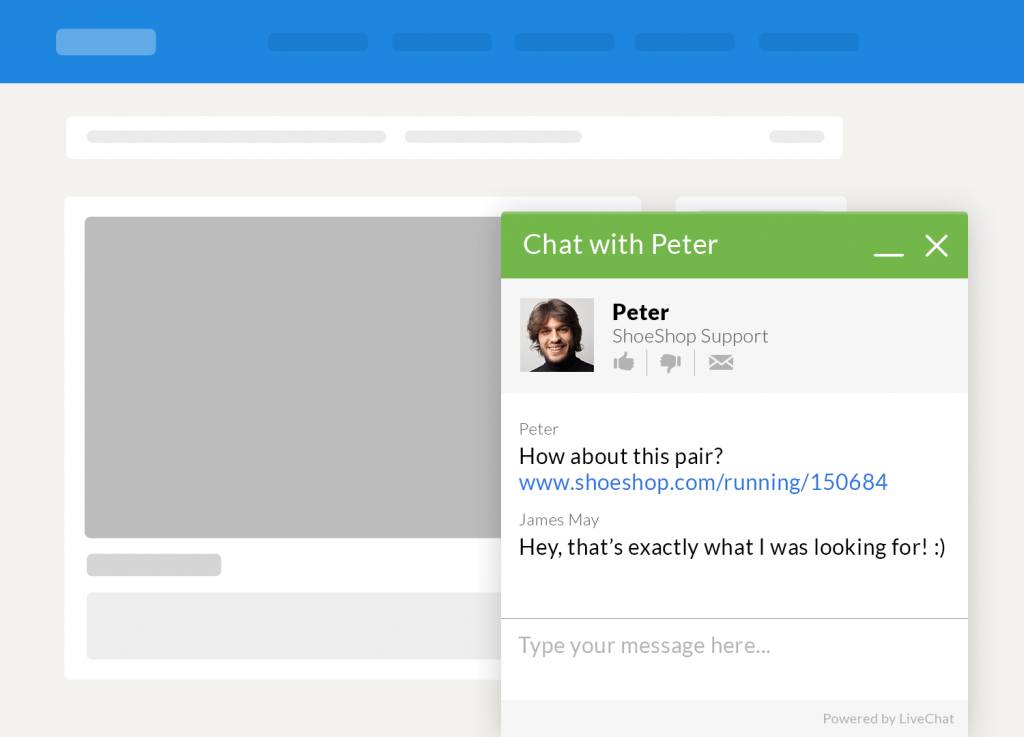
LiveChat provides the most polished chat experience focused on conversion. The platform tracks conversations with ratings and social sharing, helping you understand your audience. Visitors open chat with a single click, and support tickets handle inquiries during off-hours. Integration with 200+ tools including CRM and analytics platforms extends its capabilities.
Key Features
- 200+ integrations (CRM, analytics, helpdesk)
- Conversation ratings and feedback
- AI-powered chat suggestions
- Canned response templates
- Full chat history and transcripts
- 30-day free trial
Best For: Sales-focused teams that need polished chat with deep CRM integration. The conversion tracking and AI suggestions help close more deals.
HubSpot Live Chat
HubSpot’s free live chat comes bundled with their WordPress plugin, giving you chat plus a free CRM in one package. Every chat conversation automatically creates or updates a contact record in HubSpot CRM. The chatbot builder lets you qualify leads and book meetings automatically. Chat routing sends conversations to the right team member based on rules you define.
Key Features
- Free live chat with built-in CRM
- Chatbot builder for lead qualification
- Automatic meeting scheduling
- Contact record creation from chats
- Chat routing to team members
- Email integration for follow-ups
Best For: Businesses that want live chat integrated with a free CRM. If you already use HubSpot or want to start, the native integration is unbeatable.
Crisp
Crisp is a modern customer messaging platform that combines live chat, chatbots, and a shared inbox. The AI-powered MagicReply feature summarizes conversations and suggests responses. Video and audio calling directly from the chat widget sets Crisp apart from text-only competitors. The free plan supports 2 agents with basic chat functionality.
Key Features
- AI-powered MagicReply suggestions
- Video and audio calling from chat widget
- Shared team inbox
- Chatbot builder with visual flow editor
- Knowledge base integration
- Free plan for 2 agents
Best For: Teams that need more than text chat. The video/audio calling and AI features make Crisp ideal for SaaS companies and technical support teams.
Intercom
Intercom is the enterprise-grade customer messaging platform with powerful AI capabilities. The Fin AI agent resolves up to 50% of support questions instantly using your knowledge base. Beyond chat, Intercom offers product tours, tooltips, and in-app messages. The platform scales from startups to enterprises with advanced automation workflows.
Key Features
- Fin AI agent for automated resolution
- Product tours and in-app messaging
- Advanced automation workflows
- Custom chatbot builder
- Detailed customer data platform
- 200+ integrations
Best For: SaaS companies and growing businesses that need AI-powered support at scale. The Fin AI agent and product tour features go beyond basic chat.
Zendesk Chat
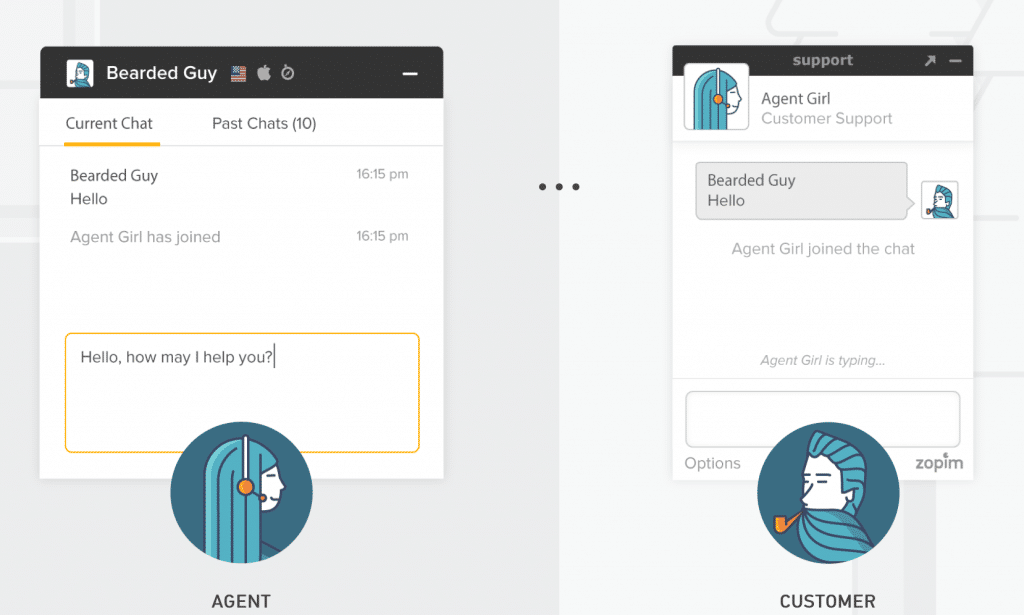
Zendesk Chat serves over 150,000 businesses worldwide. The platform offers customizable chat boxes with proactive triggers that start conversations based on visitor behavior. A dedicated WordPress plugin makes installation straightforward. The dashboard displays chat history and performance metrics, while mobile apps for Android and iOS let you respond from anywhere.
Key Features
- 150,000+ businesses use Zendesk
- Proactive chat triggers
- Advanced analytics dashboard
- Android and iOS mobile apps
- Department routing
- Free plan for 1 agent
Best For: Businesses already in the Zendesk ecosystem. The integration with Zendesk Support, Guide, and Sell creates a complete customer service platform.
Olark
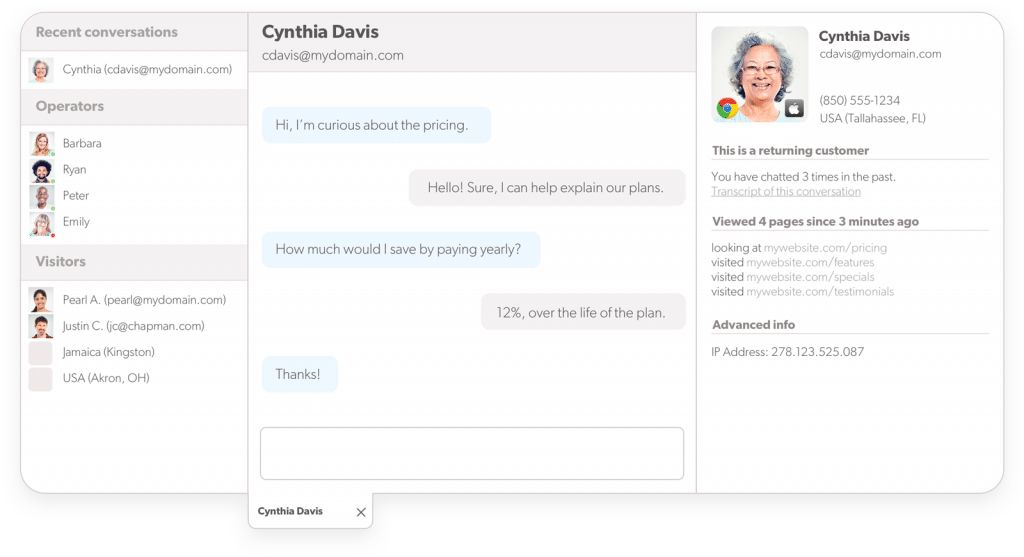
Olark provides detailed analytics about visitor activity alongside live chat. See which pages visitors browsed and what actions they took before starting a conversation. Integration with Zendesk, Salesforce, and other platforms extends Olark’s capabilities. The shopping cart visibility feature is particularly useful for WooCommerce stores.
Key Features
- Shopping cart visibility for eCommerce
- Detailed visitor activity tracking
- Browseable chat transcripts
- Chat performance reports
- Helpdesk integrations (Salesforce, Zendesk)
- Team management features
Best For: WooCommerce stores that want to see what’s in a visitor’s cart during chat. The shopping cart visibility helps agents make relevant product suggestions.
Formilla
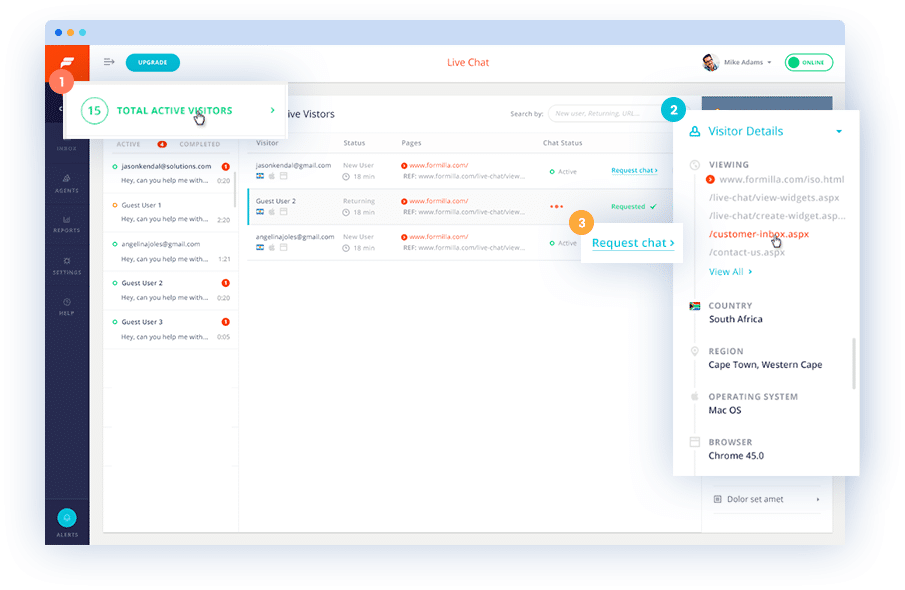
Formilla provides solid free chat functionality for small sites. The free package includes one agent and one concurrent chat with up to thirty monthly conversations. A clean, customizable interface appeals to visitors and site owners alike. Proactive chat greets visitors automatically based on behavior, while chat queues handle busy periods.
Key Features
- Free plan with 30 monthly chats
- Proactive chat triggers
- Chat queue management
- Customizable chat boxes
- Mobile apps (iOS and Android)
- Multiple language support
Best For: Very small sites with low chat volume that need a simple, clean live chat without complexity.
Choosing Your Live Chat Solution
Your choice depends on budget, team size, and chat volume:
- Zero budget: tawk.to (unlimited everything, free forever) or HubSpot (free with CRM)
- Solo operator: Tidio (AI chatbot handles questions when you’re away)
- Sales teams: LiveChat (200+ integrations, conversation analytics)
- WooCommerce stores: Olark (shopping cart visibility during chats)
- SaaS companies: Intercom (AI agent, product tours, in-app messaging)
- Technical support: Crisp (video/audio calling from chat widget)
Test multiple platforms during their free trials. Check mobile responsiveness since many visitors chat from phones. The best plugin is one your team actually uses consistently. For more ways to engage visitors, see our guide on social sharing plugins and essential WordPress plugins.
Frequently Asked Questions
- Does live chat slow down my WordPress site?Modern live chat plugins load asynchronously, minimizing performance impact. They fetch the chat widget after your main content loads. Quality plugins from providers like Tidio and tawk.to are optimized for speed. Test your page load times before and after installation to verify.
- What is the best free live chat plugin for WordPress?tawk.to is the best completely free option with unlimited agents and chats. If you want AI chatbot features, Tidio’s free plan includes Lyro AI. HubSpot offers free chat with a built-in CRM. Each serves a different need—tawk.to for unlimited volume, Tidio for automation, HubSpot for lead tracking.
- Can AI chatbots replace human agents?AI chatbots handle 30-50% of support questions effectively—FAQs, order status, basic troubleshooting. They can’t replace humans for complex issues, emotional situations, or nuanced sales conversations. The best approach is hybrid: AI handles routine queries and escalates complex ones to human agents.
- Should I use proactive chat invitations?Proactive chats can increase engagement when used carefully. Trigger them based on visitor behavior like time on page or cart contents. Avoid triggering too quickly or too often—wait at least 30 seconds. Test different triggers to find what works for your audience without being intrusive.
- Is live chat GDPR compliant?Major live chat providers offer GDPR compliance features including consent collection, data export, and deletion options. Configure your chat to collect consent before storing personal information from EU visitors. Crisp and tawk.to both offer EU data hosting options for additional compliance.
Get Access to All 28 WordPress Themes
Build unlimited websites with one subscription.