
Event calendar plugins display events on your WordPress site with style and functionality. Whether you run conferences, classes, appointments, or community gatherings, the right plugin handles scheduling, ticketing, and registrations. This guide covers the best WordPress event calendar plugins available.
Each plugin offers different strengths. Some focus on visual design, others on booking features or recurring events. Find the one that matches your specific event management needs. This guide is part of our complete WordPress plugins guide.
Best WordPress Event Calendar Plugins
EventOn
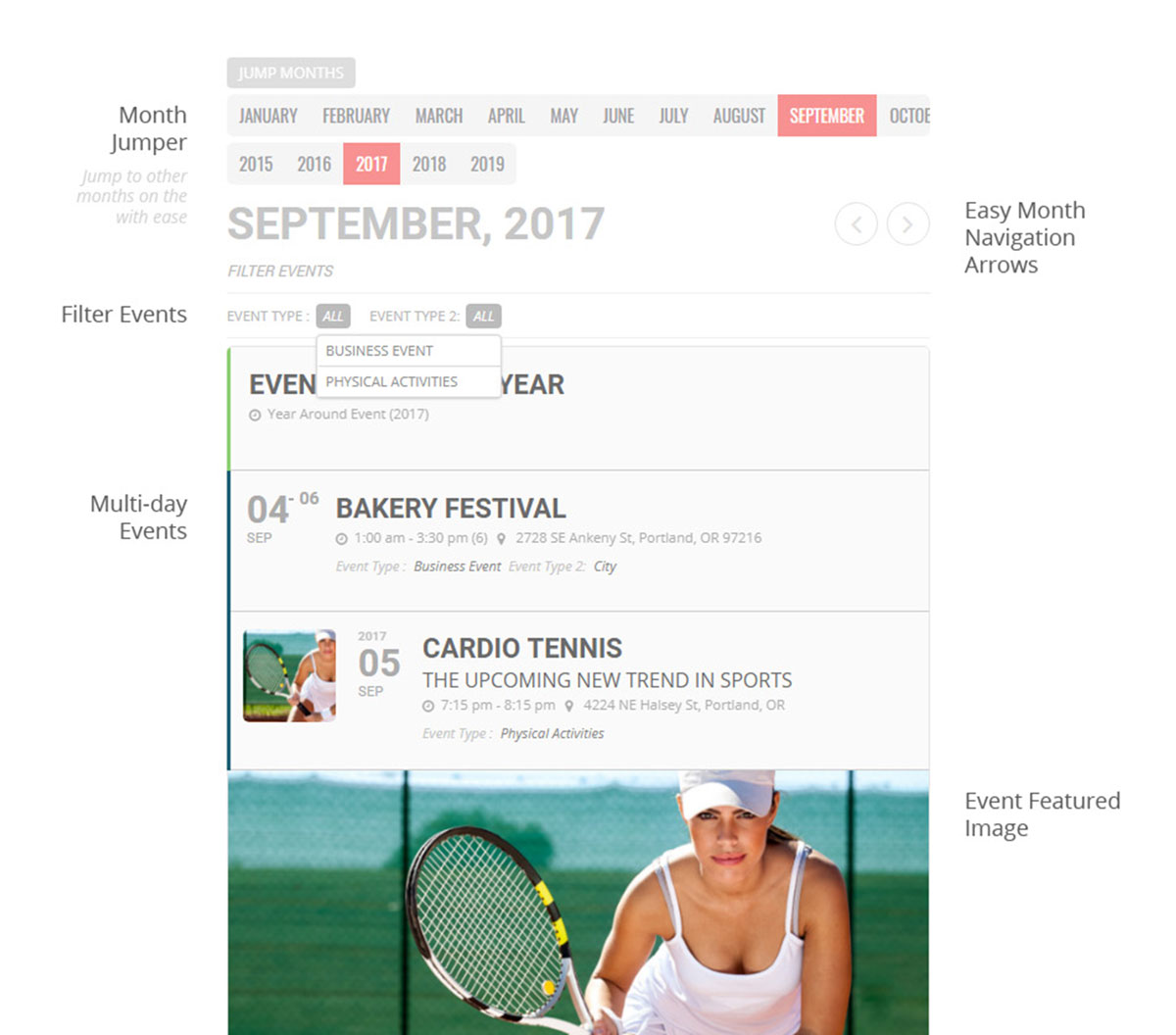
EventOn delivers beautiful calendar designs that stand out from typical event displays. The tile-based layout presents events in a clean, modern format with interactive elements that engage visitors as they browse your schedule.
Key Features
- Beautiful tile-based event design
- Multiple calendar views and customization options
- Color-coded categories for quick identification
- Event images, locations, and organizer information
- Extensive add-on library for extended features
Best For: Organizations that want visually stunning event displays with extensive customization through add-ons.
Stachethemes Event Calendar
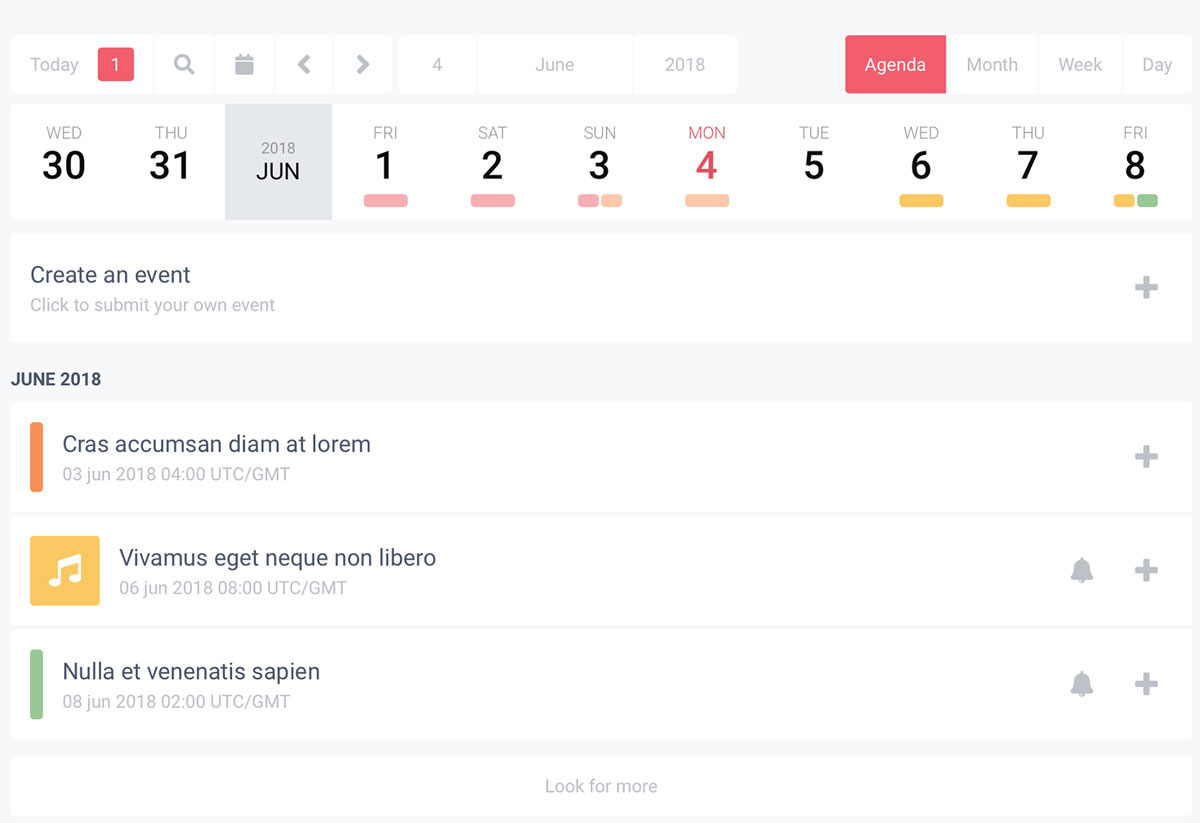
Stachethemes Event Calendar combines visual appeal with powerful features. It offers grid, list, agenda, and month views with advanced filtering by category, location, or organizer. Google Maps integration displays venues with directions.
Key Features
- Multiple layout options (grid, list, agenda, month)
- Advanced event filtering by category, location, or organizer
- Google Maps integration with directions
- Weather forecast display for outdoor events
- Social sharing and countdown timers
Best For: Event organizers who need multiple display layouts with advanced filtering and Google Maps integration.
Events Plus
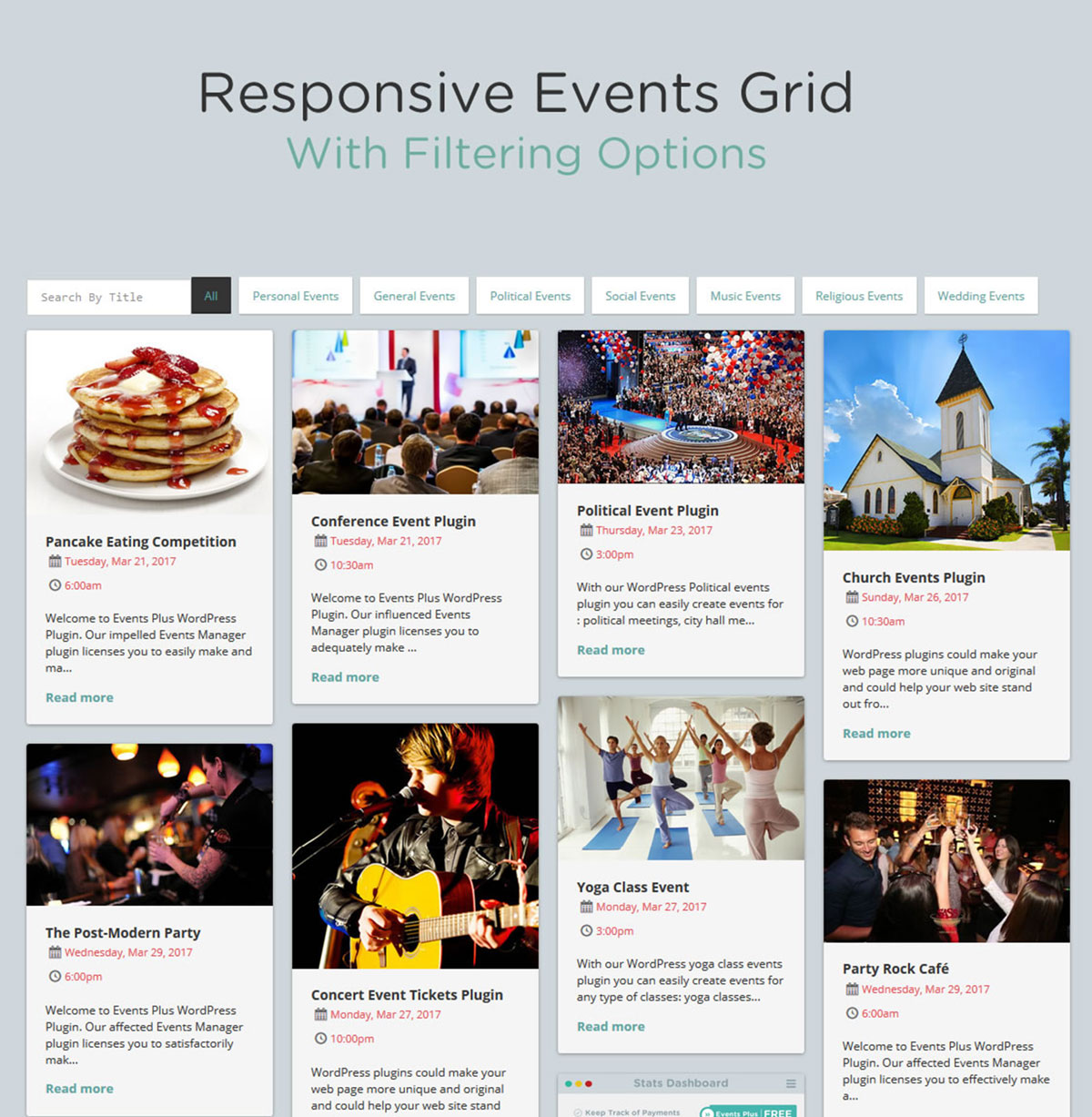
Events Plus focuses on RSVP and registration features alongside calendar display. The plugin handles event signups, capacity limits, and waitlists. BuddyPress integration connects events with community features.
Key Features
- RSVP management with capacity limits and waitlists
- BuddyPress integration for community events
- Member event creation and management
- Google Calendar sync for attendees
- Email notification system
Best For: Community-driven sites using BuddyPress that need event management with RSVP and member participation.
WordPress Pro Event Calendar
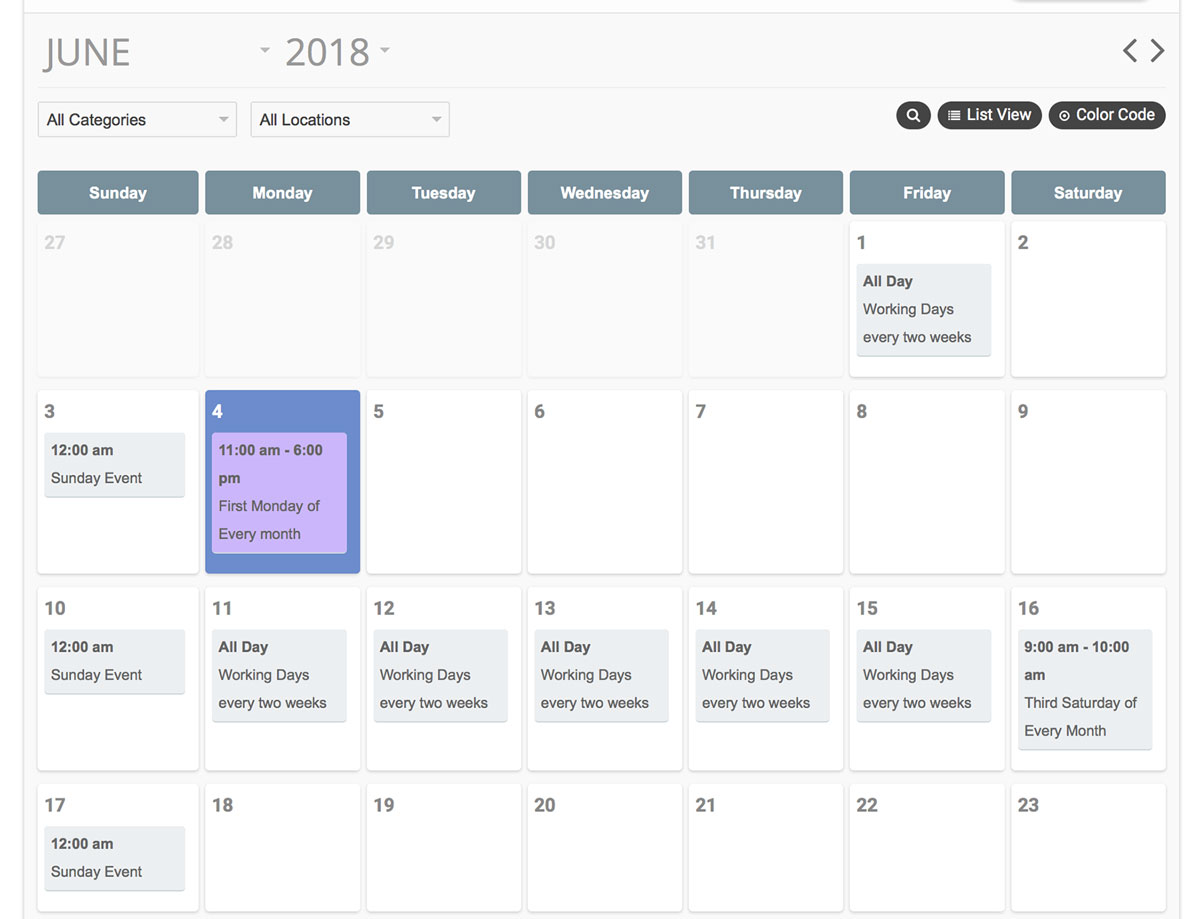
WordPress Pro Event Calendar handles recurring events with flexible patterns including daily, weekly, monthly, or custom recurrence rules. Multiple calendar support separates different event types, and front-end submission lets visitors propose events.
Key Features
- Flexible recurring event patterns
- Multiple calendar support for event separation
- Front-end event submission with approval workflow
- Google Calendar and iCal import/export
- Category filtering for event browsing
Best For: Organizations with complex recurring schedules and community calendars that accept event submissions from visitors.
Calendarize it!
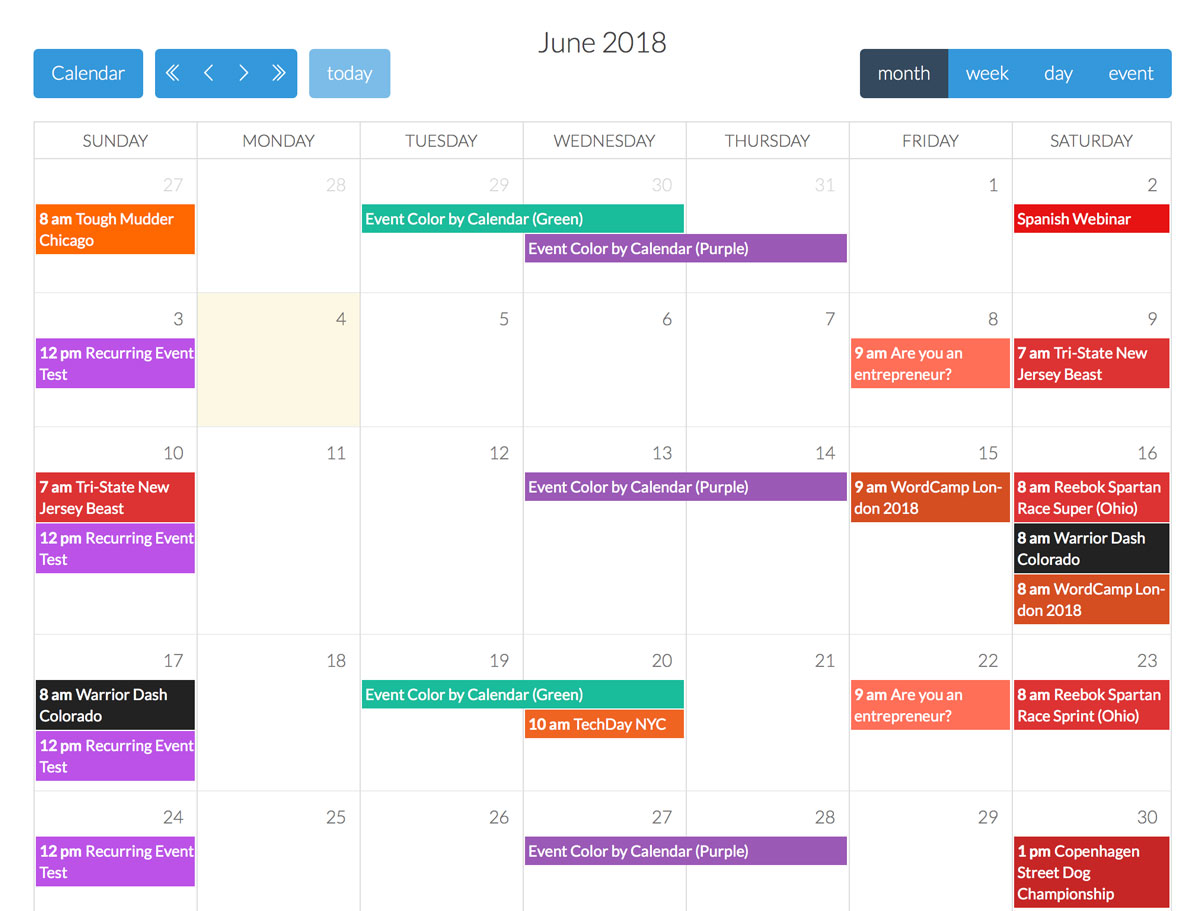
Calendarize it! provides a complete event management system with Visual Composer integration. Venue management keeps location data organized, organizer profiles display contact information, and the ticketing add-on sells tickets through WooCommerce.
Key Features
- Visual Composer integration for drag-and-drop pages
- Venue and organizer management system
- Custom field support for extra event data
- Ticketing with WooCommerce integration
- Recurring event support
Best For: Event organizers who need ticketing, venue management, and WooCommerce payment processing in one integrated solution.
Events Schedule
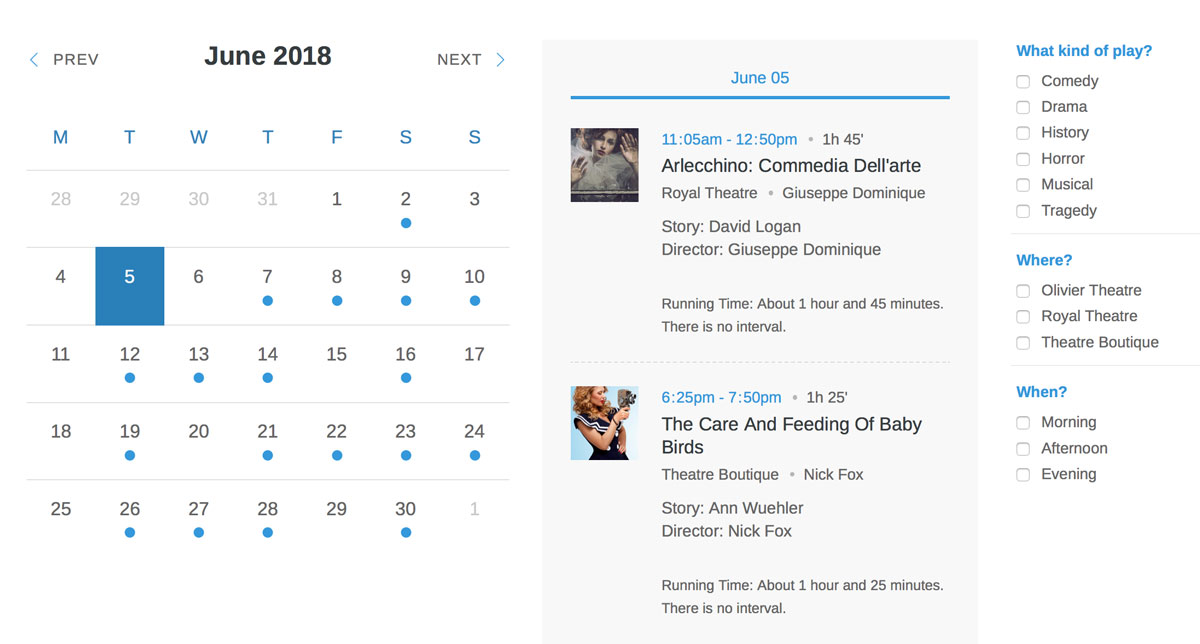
Events Schedule excels at displaying conference-style agendas and timetables. The plugin creates multi-track schedules with time slots and sessions, with speaker management and PDF export for printed programs.
Key Features
- Multi-track schedule display for conferences
- Speaker and presenter management
- Filter by track, day, or speaker
- PDF export for printed event programs
- Mobile-friendly display for attendee navigation
Best For: Conferences, festivals, and multi-day events that need multi-track scheduling with speaker profiles and PDF programs.
WP Booking Calendar
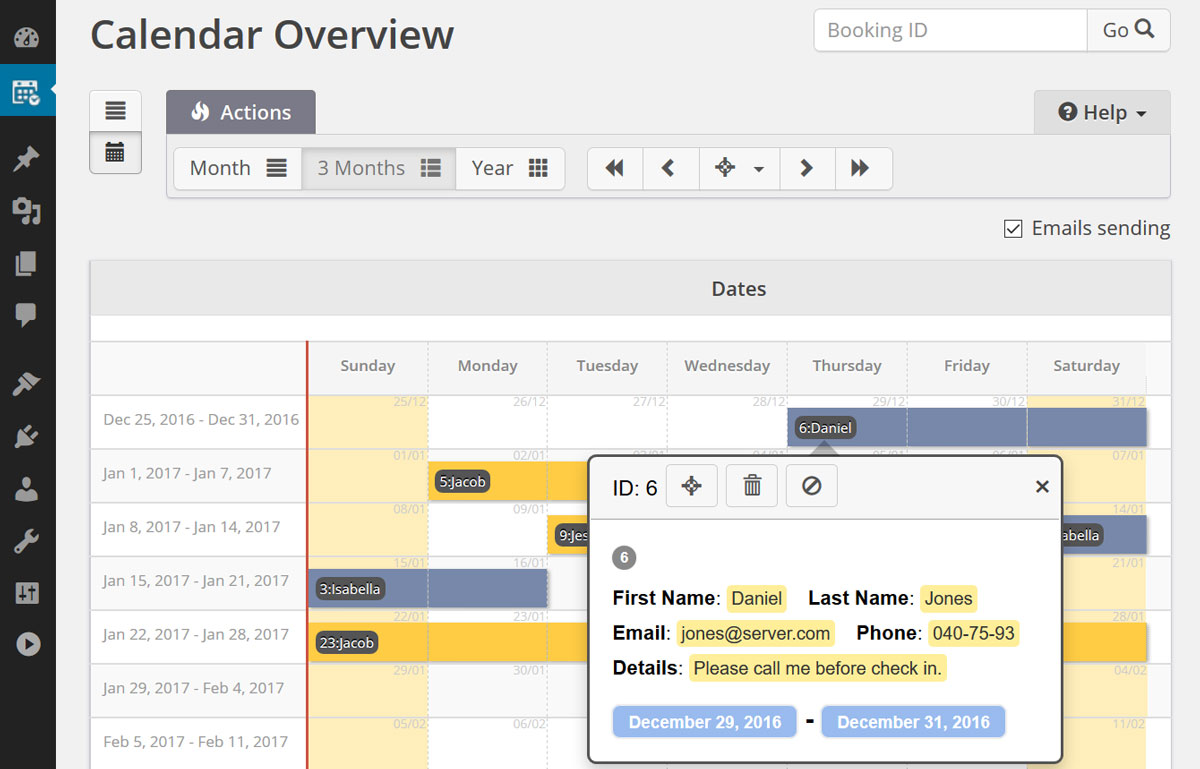
WP Booking Calendar turns your calendar into a reservation system. Visitors book appointments, rentals, or services directly through the calendar with availability management and flexible pricing rules for different days or seasons.
Key Features
- Online booking and reservation system
- Availability management to prevent double bookings
- Flexible pricing rules for different periods
- Payment processing for deposits or full payments
- Automatic email confirmations
Best For: Service businesses, rental properties, and appointment-based businesses that need online booking with payment processing.
Timetable Responsive Schedule
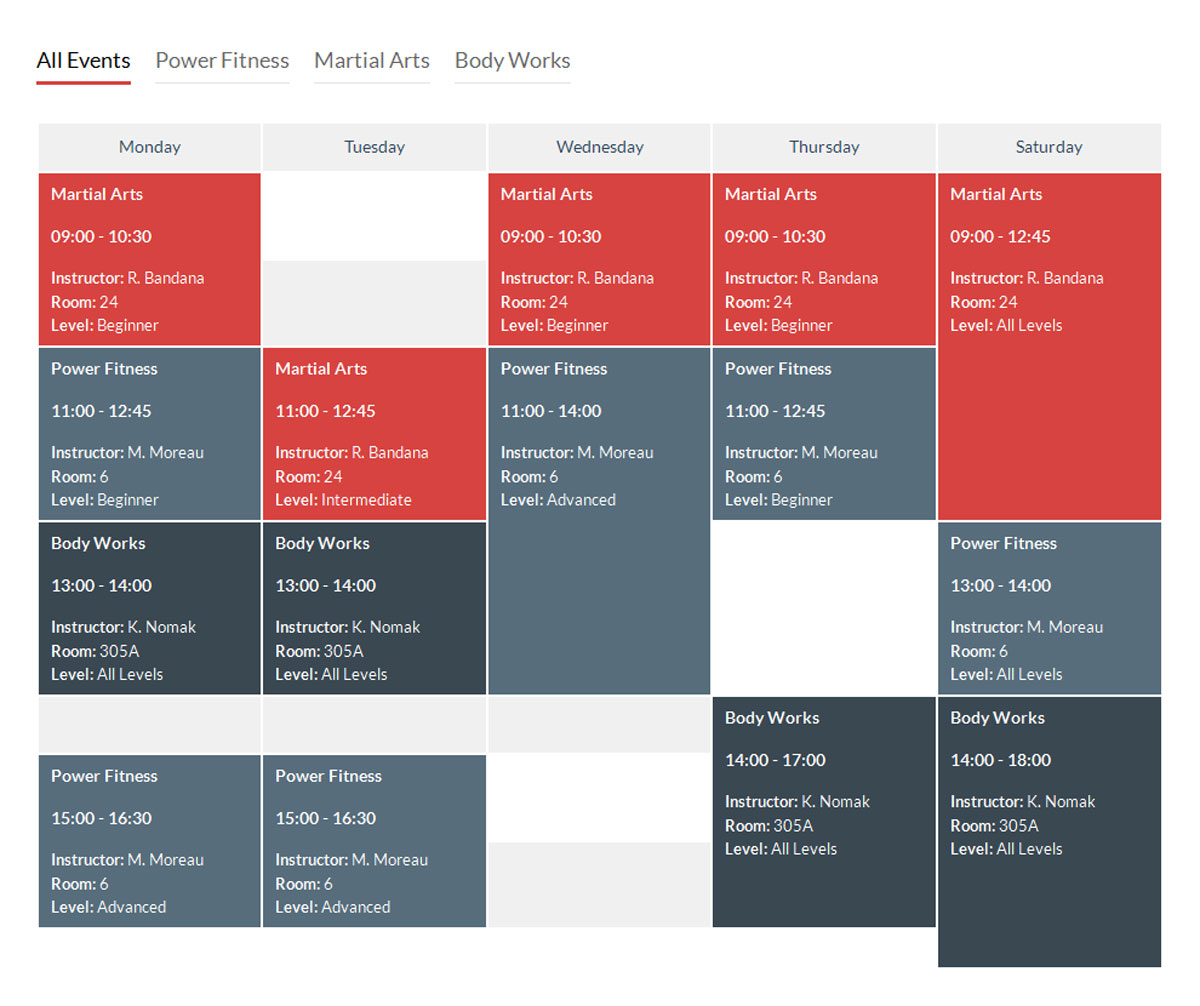
Timetable Responsive Schedule creates beautiful weekly schedules for classes, courses, and recurring programs. Color-coded events distinguish different class types, and event details expand on click with descriptions and instructor information.
Key Features
- Weekly schedule display for recurring classes
- Color-coded events by class type
- Click-to-expand event details
- Shortcode builder for easy placement
- Multiple timetables for different locations
Best For: Gyms, schools, studios, and any business with recurring weekly schedules that need a clean timetable display.
Team Booking
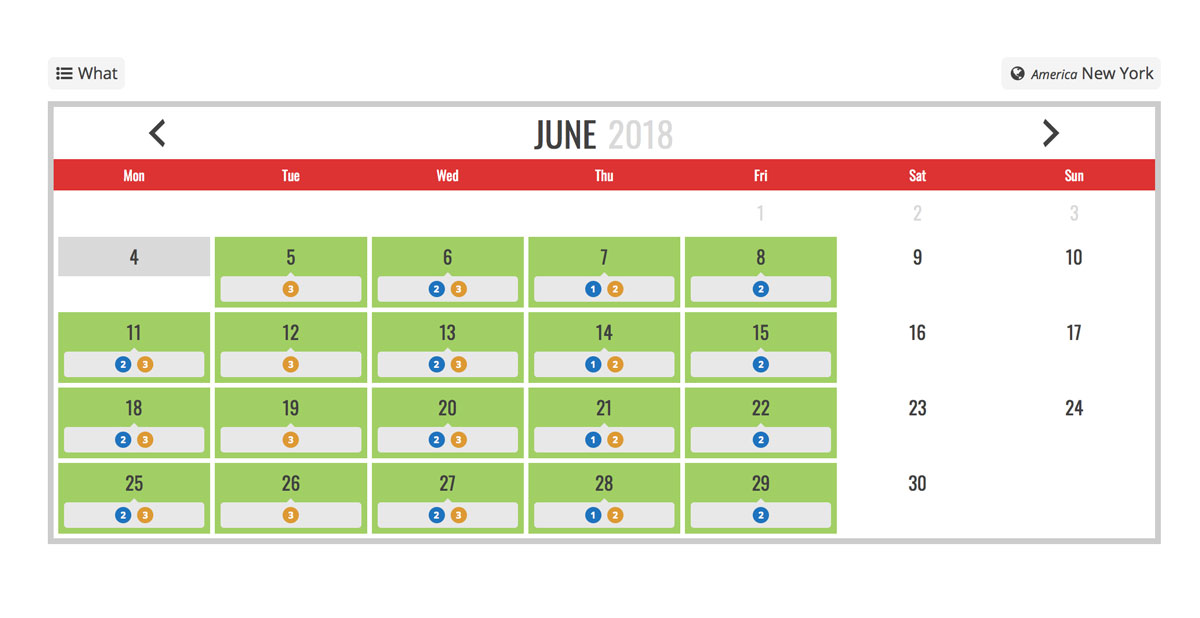
Team Booking connects appointments with Google Calendar for service providers. Staff members link their Google accounts and availability syncs automatically. Customers book directly into team members’ calendars with buffer times between appointments.
Key Features
- Direct Google Calendar integration per staff member
- Multiple service types with different durations and prices
- Buffer time settings between appointments
- Stripe and PayPal payment processing
- Email and SMS notifications
Best For: Service businesses with multiple staff members who need appointment booking synced with individual Google Calendars.
Choosing Your Event Calendar
Your choice depends on what you need most. Display-focused sites benefit from EventOn’s beautiful designs. Booking-heavy businesses need WP Booking Calendar or Team Booking. Conferences require Events Schedule’s multi-track capabilities.
Consider your audience and event types. Recurring classes work well with Timetable. One-time events suit EventOn or Stachethemes. Service businesses need booking-focused plugins. Test demos before purchasing premium plugins.
For churches and nonprofits managing events, our nonprofit WordPress themes include built-in event features that integrate with these calendar plugins.
Frequently Asked Questions
- Can I sell tickets with these event calendar plugins?Several plugins support ticket sales through add-ons or built-in features. Calendarize it! offers ticketing add-ons. WP Booking Calendar handles payments for reservations. Some plugins integrate with WooCommerce for more complete e-commerce functionality.
- Do event calendars work with Elementor and other page builders?Most premium event calendars include shortcodes that work anywhere, including page builders. Some offer specific Elementor widgets. Calendarize it! includes Visual Composer integration. Check plugin documentation for your specific page builder.
- Can visitors submit events to my calendar?Several plugins support front-end event submission. WordPress Pro Event Calendar, Events Plus, and others let visitors submit events for review. You approve submissions before they appear publicly. This works well for community calendars.
- How do I sync my calendar with Google Calendar?Most plugins support Google Calendar sync through iCal feeds or direct API integration. Team Booking connects directly to Google accounts. Others export iCal feeds you add to Google Calendar. Two-way sync varies by plugin.
- Which plugin handles recurring events best?WordPress Pro Event Calendar and Timetable Responsive Schedule excel at recurring events. They handle complex patterns like “every other Tuesday” or “first Monday of each month.” Consider how often your events repeat when choosing.
- Are there free WordPress event calendar plugins?Yes. The Events Calendar offers a popular free version. Sugar Calendar and Simple Calendar provide basic functionality at no cost. Free versions typically limit features like recurring events, custom fields, or ticket sales. Premium upgrades unlock full functionality.
Elevate Your Online Presence with Our Free WordPress Themes
Craft Your Debut Blog or Nonprofit Website with Our Complimentary Themes!
Discover Free Themes