Instagram has become one of the most popular social media networks with over 2 billion users. As a powerful marketing tool, understanding the correct Instagram photo size is essential for making your content look professional and engaging.
Your audience is attracted not only by interesting content but also by beautiful and eye-catching photos. To make a positive impression, ensure your photos are uploaded at the optimal resolution and dimensions.
Instagram Photo Size Quick Reference
When you share a photo on Instagram, upload it at the highest quality possible (up to 1080 pixels wide). Instagram keeps photos at their original resolution as long as the aspect ratio is between 1.91:1 and 4:5.
Square Posts
Optimal Size: 1080 x 1080 pixels
Aspect Ratio: 1:1
Maximum Resolution: 1080 pixels wide
Landscape Posts
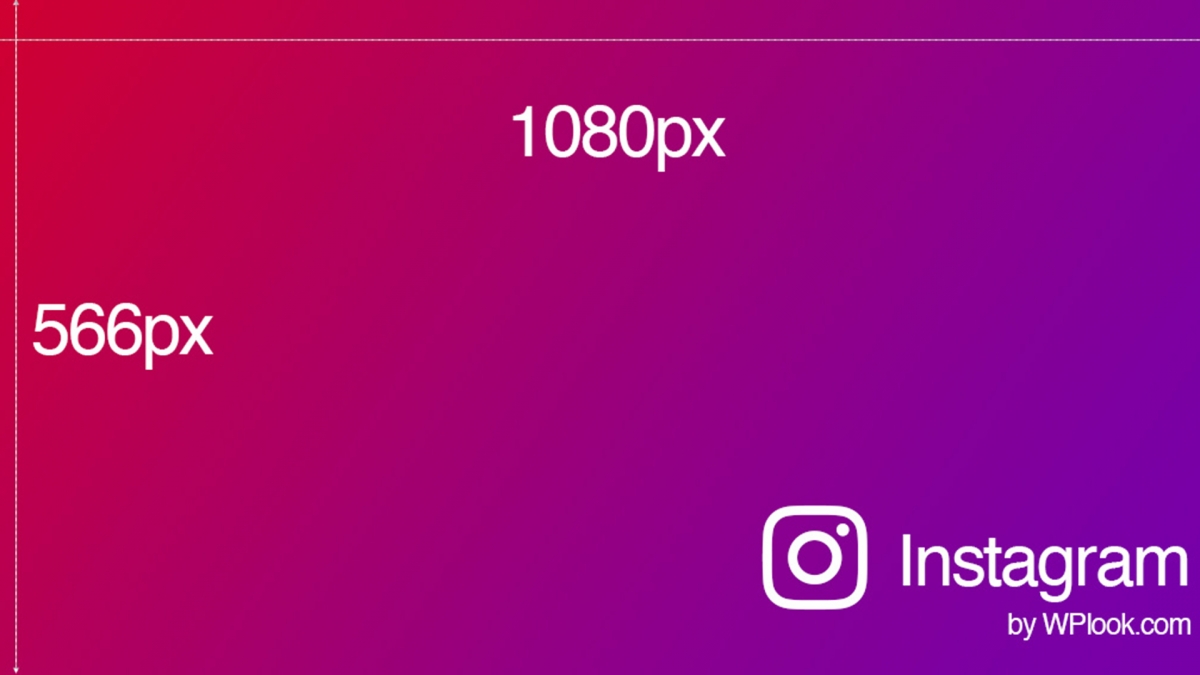
Optimal Size: 1080 x 566 pixels
Aspect Ratio: 1.91:1
Best for: Horizontal images, landscapes, wide shots
Portrait Posts
Optimal Size: 1080 x 1350 pixels
Aspect Ratio: 4:5
Best for: Vertical images, portraits, products
Instagram Stories
Optimal Size: 1080 x 1920 pixels
Aspect Ratio: 9:16
Best for: Full-screen vertical content
Instagram Reels
Optimal Size: 1080 x 1920 pixels
Aspect Ratio: 9:16
Best for: Short-form vertical video content
Profile Picture
Optimal Size: 320 x 320 pixels
Display Size: 110 x 110 pixels on mobile
Format: Square, displayed as circle
Instagram Carousel
Optimal Size: 1080 x 1080 pixels (square) or 1080 x 1350 pixels (portrait)
Maximum Images: 10 per carousel
Note: All images in a carousel use the same aspect ratio
Instagram Image Size Tips
- Always upload at 1080px width – Instagram will compress smaller images, reducing quality
- Use 4:5 portrait ratio for maximum screen space – Vertical posts take up more room in the feed
- Keep important content away from edges – Leave safe zones for cropping variations
- Export in JPG format – Best balance of quality and file size
- Avoid over-compression – Upload the highest quality your file size allows
What Happens with Wrong Dimensions?
If your photo width is between 320 and 1080 pixels with an acceptable aspect ratio (1.91:1 to 4:5), Instagram keeps it at original resolution. Photos outside these parameters get automatically cropped or compressed, potentially losing image quality and cutting off important parts of your image.
Related Resources
- Social Media Color Palette – Brand colors for all platforms
- Free Stock Photo Websites – Find images for your posts
- Free Design Resources – Tools for content creators
Frequently Asked Questions
- What is the best Instagram photo size for engagement?Portrait posts (1080 x 1350 pixels, 4:5 ratio) typically get higher engagement because they take up more screen space in the feed. This format is especially effective for product photos, portraits, and infographics.
- Does Instagram reduce image quality?Yes, Instagram compresses all images to reduce file size. To minimize quality loss, upload at the maximum resolution (1080px width) and use JPG format. Avoid uploading images that have already been compressed.
- What file format is best for Instagram?JPG is recommended for photos due to its balance of quality and file size. PNG works better for graphics with text or transparent elements, though Instagram will convert it to JPG.