Time tracking transforms how you understand your work. Whether you are a freelancer billing clients for website projects, a team manager monitoring projects, or someone who wants to improve personal productivity, tracking where your hours go reveals patterns you would never notice otherwise.
This guide covers the best time tracking apps for different needs and budgets. From simple timers to AI-powered calendar optimization, you will find time tracking apps that fit your workflow and help you make better decisions about how you spend your working hours.
Time Tracking Apps Compared at a Glance
| App | Rating | Best For |
|---|---|---|
| Toggl Track | 4.5 / 5 | Freelancers and agencies wanting simple, comprehensive tracking |
| Clockify | 4.5 / 5 | Teams that need unlimited free users and projects |
| Harvest | 4.5 / 5 | Service businesses billing clients from tracked hours |
| RescueTime | 4 / 5 | Individuals improving personal focus and digital habits |
| Time Doctor | 4 / 5 | Remote teams needing activity and accountability data |
| Everhour | 4 / 5 | Teams in Asana, Trello, or Basecamp wanting embedded tracking |
| TimeCamp | 4 / 5 | Teams wanting automatic, keyword-based tracking |
| Tick | 3.5 / 5 | Project-based businesses watching budgets |
| Clockwise | 4 / 5 | Knowledge workers protecting focus time from meetings |
| Rize | 3.5 / 5 | Individuals wanting AI focus scores and habit insights |
| Timing | 4 / 5 | Mac users wanting automatic, hands-off tracking |
| Reclaim.ai | 4 / 5 | Busy professionals letting AI defend calendar focus |
| Sunsama | 4 / 5 | Pros wanting structured daily planning with tracking |
Why Track Your Time?
- Accurate billing: invoice clients based on actual work, not estimates
- Project estimates: improve future quotes with historical data
- Productivity insights: identify where time gets lost
- Work-life balance: recognize overworking before burnout
- Profitability analysis: know which projects make money
Toggl Track
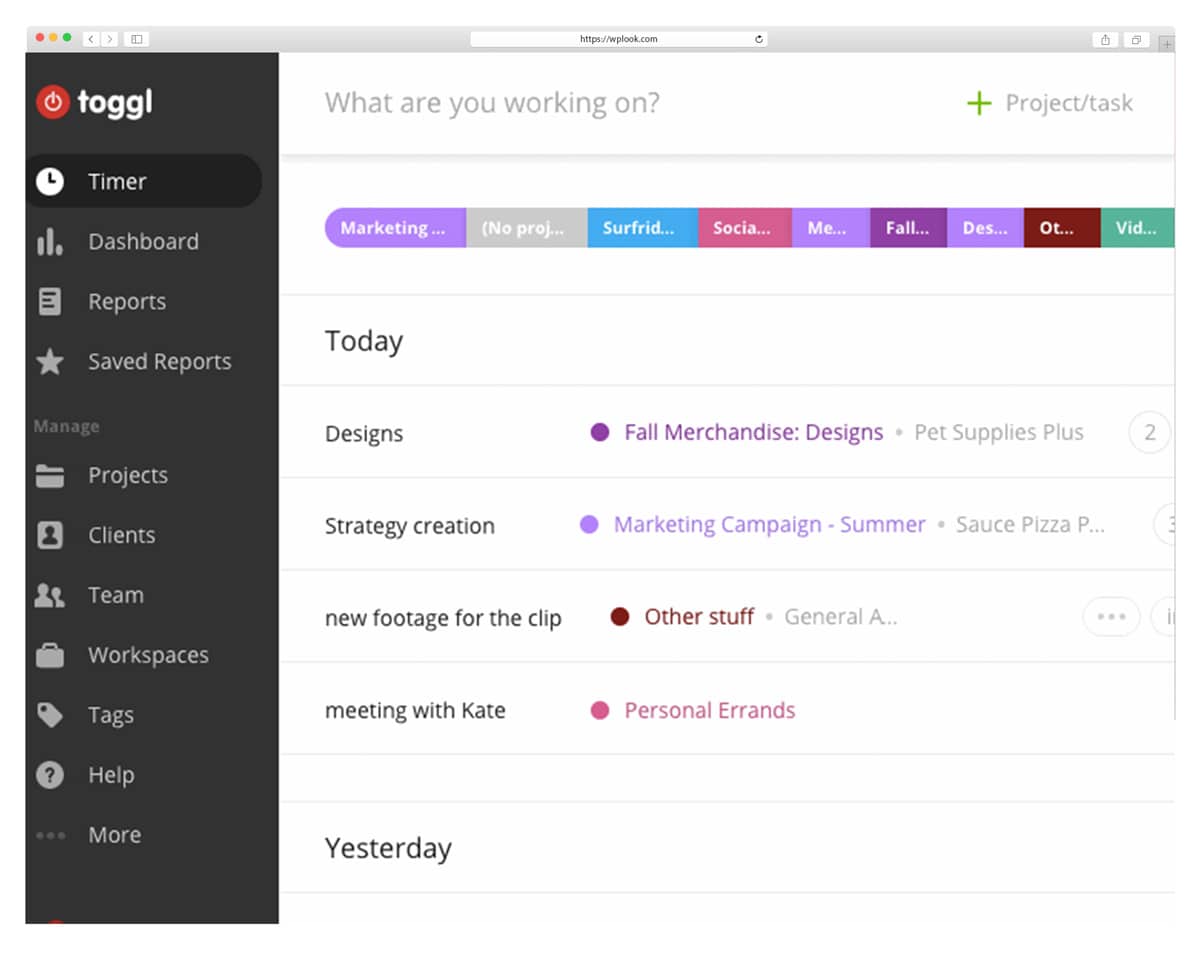
Toggl Track dominates the time tracking market with its combination of simplicity and power. One-click timers make starting and stopping effortless, while detailed reports satisfy even demanding project managers. The app runs quietly in your menu bar or browser, ready whenever you need it.
Forgot to start the timer? Toggl detects idle time and asks what you were doing, helping maintain accurate records even when you forget to track manually. Over 100 integrations with tools like Asana, Trello, and GitHub mean it fits into virtually any existing workflow without friction.
Key Features
- One-click timer with keyboard shortcuts
- 100+ integrations with popular tools
- Detailed reporting with visual charts
- Calendar integration for time context
- Offline tracking with automatic sync
- Pomodoro timer for focused sessions
Best For: Freelancers, agencies, and teams who need simple but comprehensive tracking without a steep learning curve.
Clockify
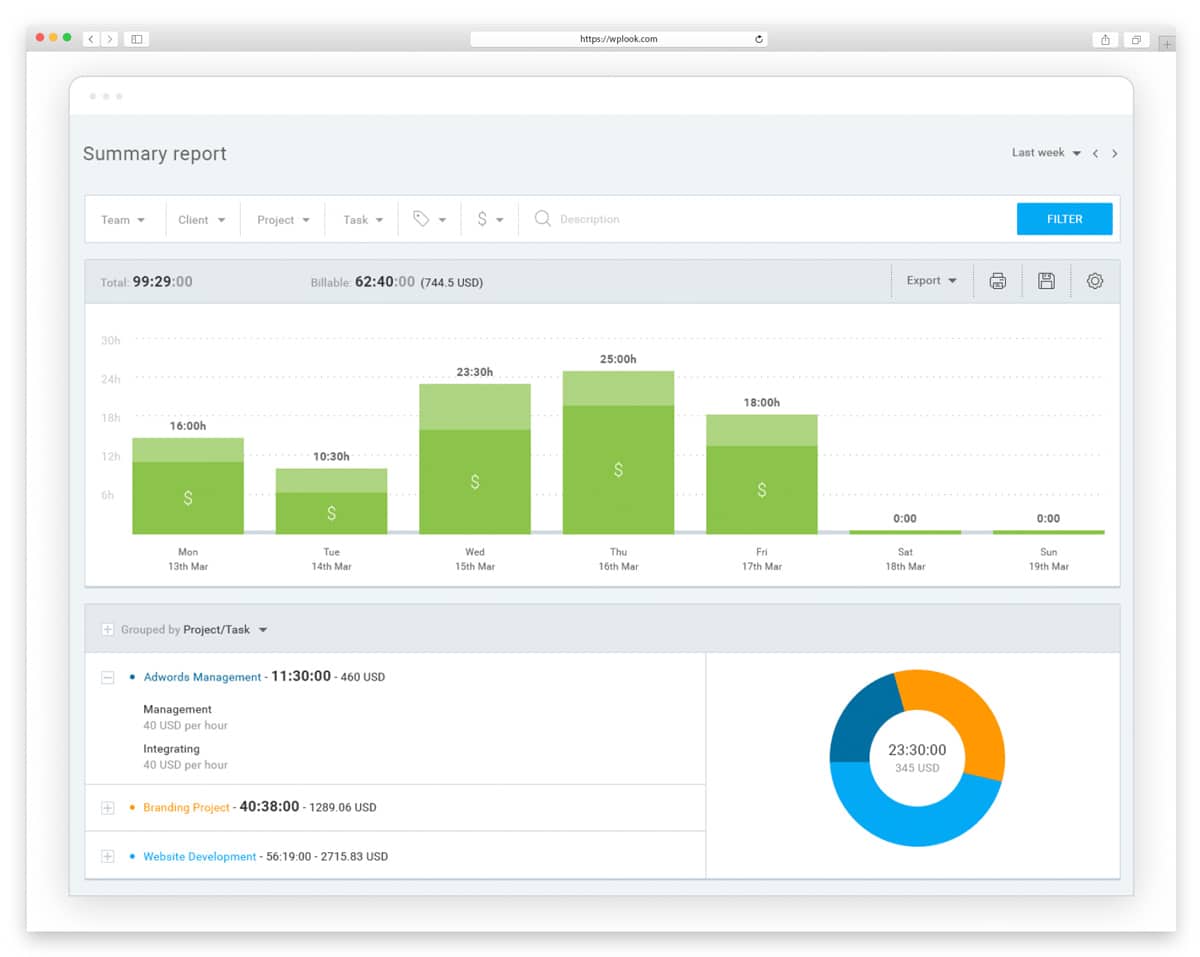
Clockify offers a genuinely free time tracker with unlimited users and projects, making it the go-to choice for teams wanting full functionality without per-user subscription costs. Unlike competitors that limit free tiers to force upgrades, Clockify provides core tracking features to unlimited team members.
The paid tiers add advanced features like time audits, GPS tracking, and custom fields, but small teams can operate entirely on the free plan. Detailed reports export to PDF, CSV, and Excel, and the team dashboard provides permissions and approval workflows for managers.
Key Features
- Unlimited free users and projects
- Detailed reports with PDF/CSV/Excel export
- Project time estimates with budget alerts
- Team dashboard with approval workflows
- Billable hours tracking and invoicing
- Kiosk mode for shared workstations
Best For: Teams and businesses wanting powerful time tracking without subscription costs, startups, and nonprofits with limited budgets.
Harvest
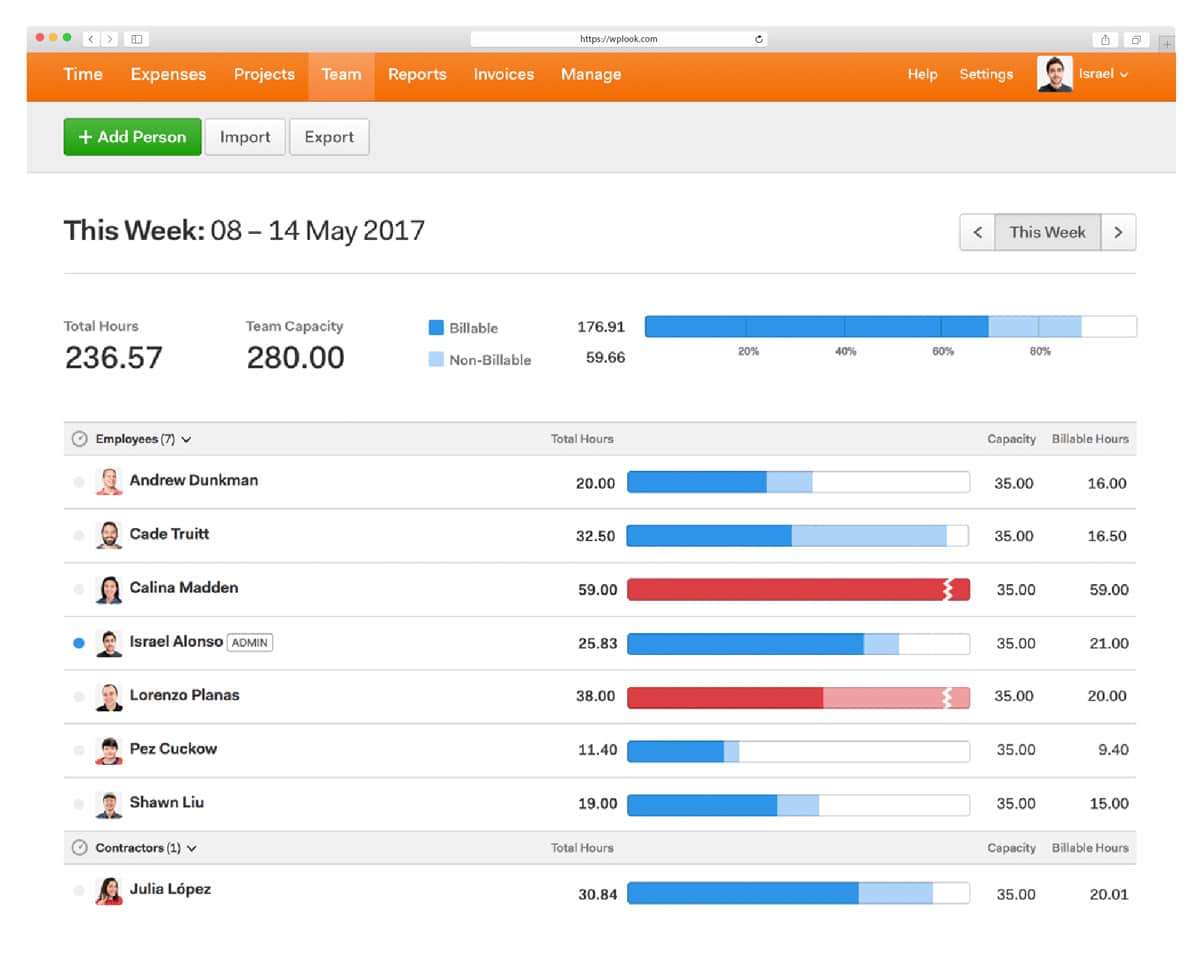
Harvest combines time tracking with invoicing and expense management in one polished package. The standout feature is turning tracked time directly into professional invoices. Add your hourly rate, track your work, and generate bills that show clients exactly what they are paying for.
Integration with payment processors means clients can pay invoices online, and the Forecast add-on provides resource planning and team scheduling. Capacity reports show team availability at a glance, helping managers allocate work without overloading anyone.
Key Features
- Integrated invoicing from tracked time
- Expense tracking with receipt capture
- Budget tracking with visual progress bars
- 70+ integrations including QuickBooks
- Team scheduling with Forecast add-on
- Client-facing reports for transparency
Best For: Service businesses, consultants, and agencies who invoice based on time and want integrated billing in one tool.
RescueTime
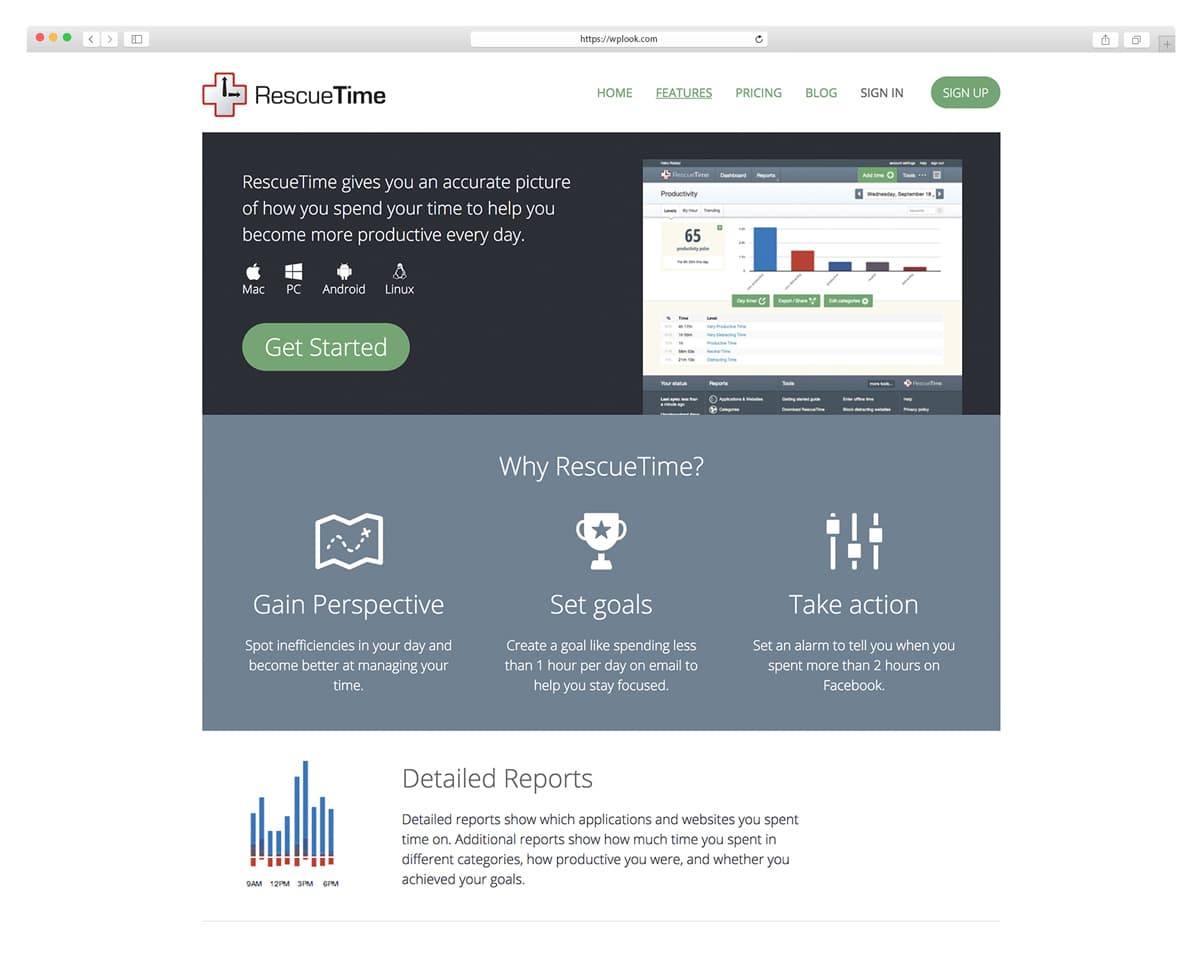
RescueTime tracks your computer activity automatically, showing exactly where your time goes without any manual input. The app categorizes activities as productive, neutral, or distracting based on customizable rules, revealing patterns you would never notice on your own.
The weekly email summary often reveals uncomfortable truths about how we actually spend our days. Website and app blocking during focus sessions adds active productivity protection, and focus goals with alerts help you stay on track throughout the day.
Key Features
- Fully automatic activity tracking
- Productivity scoring by category
- Website and app blocking in focus mode
- Daily and weekly email summaries
- Offline time logging for meetings
- Detailed app and website breakdowns
Best For: Individuals wanting to understand and improve personal productivity habits without manual tracking overhead.
Time Doctor
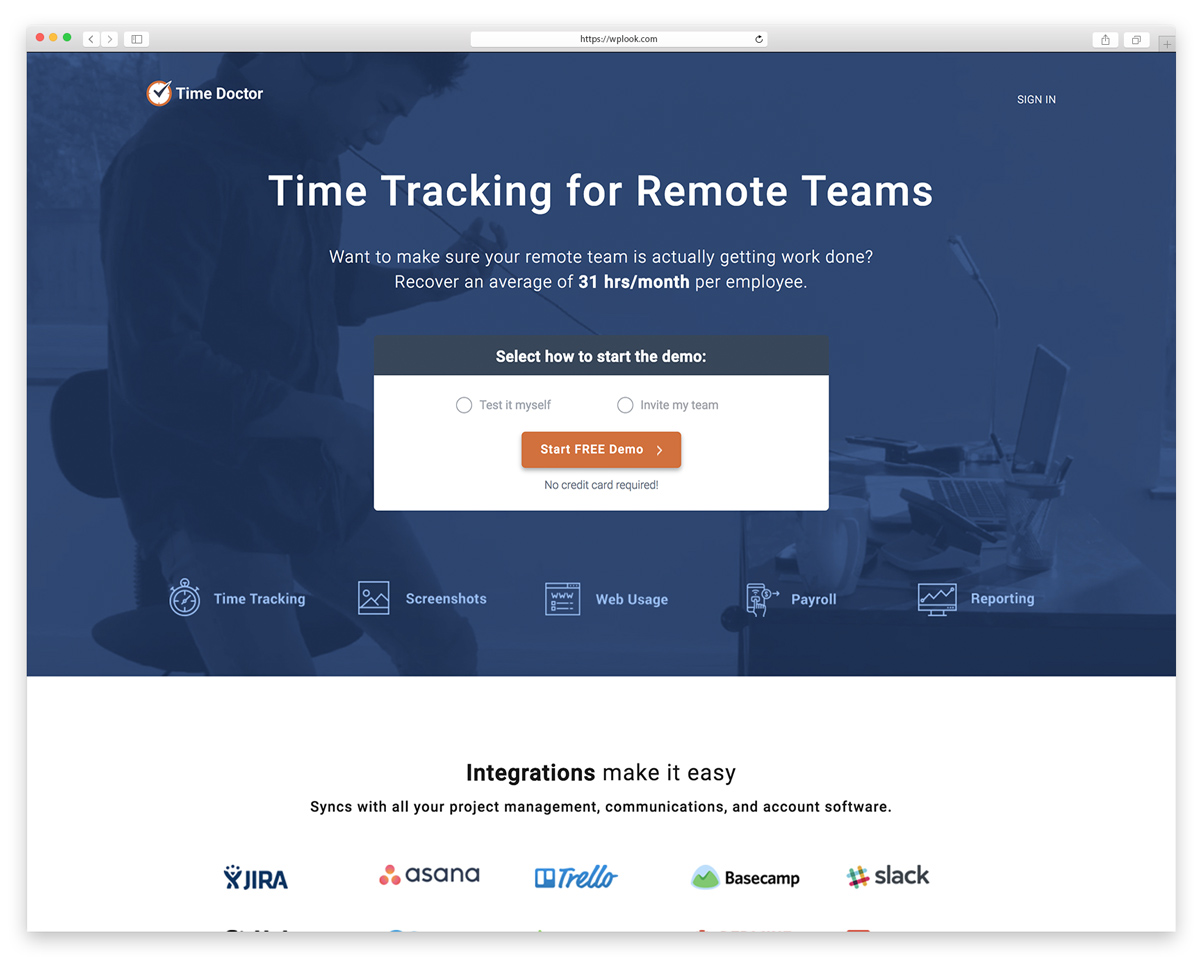
Time Doctor provides detailed employee monitoring alongside time tracking, designed for companies managing remote teams who need visibility into how work time is spent. Screenshot monitoring at configurable intervals and website usage tracking verify that billed hours represent actual work.
The monitoring features include distraction alerts when visiting unproductive sites and detailed productivity reports for managers. This level of oversight is not for every workplace culture, but for businesses with remote contractors or hourly employees, it provides accountability that builds trust.
Key Features
- Screenshot monitoring at set intervals
- Website and app usage tracking
- Payroll integration with payment services
- Distraction alerts for unproductive sites
- Detailed productivity reports for managers
- Attendance tracking for shift teams
Best For: Companies with remote teams needing accountability, businesses with hourly contractors, and managers requiring activity verification.
Everhour
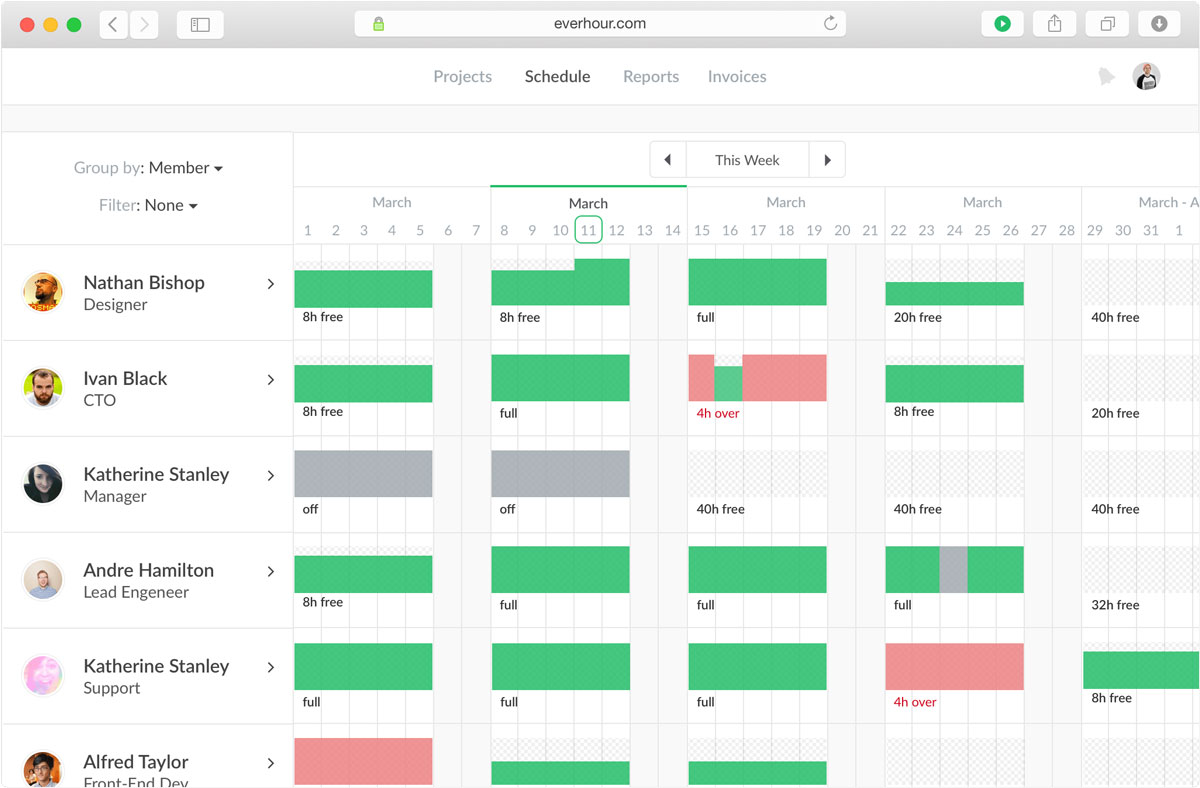
Everhour integrates directly into project management tools like Asana, Trello, Jira, and Basecamp, adding timer buttons right inside the tools your team already uses. Instead of switching between apps, you track time on tasks and cards without leaving your workflow.
This native integration approach means your team does not need to learn a new app or remember to log time separately. Time entries connect directly to tasks, making reporting accurate and reducing the friction that causes people to skip tracking entirely.
Key Features
- Native integration with 15+ PM tools
- In-app time tracking on tasks and cards
- Budget and time estimates with progress
- Team scheduling and workload management
- Invoicing with customizable templates
- Time approval workflows for managers
Best For: Teams already using Asana, Trello, Basecamp, or similar tools who want embedded time tracking without workflow disruption.
TimeCamp
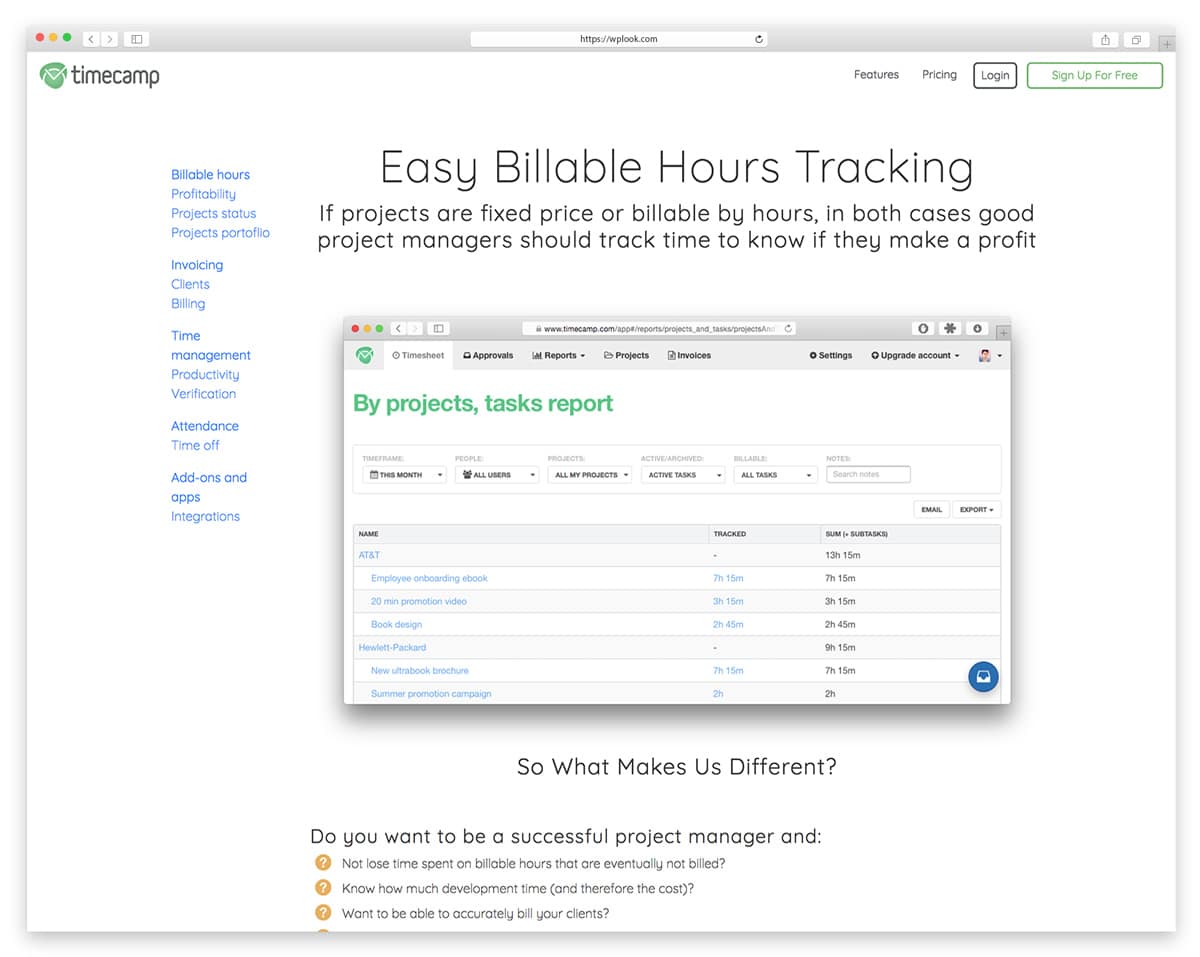
TimeCamp offers automatic time tracking based on keywords and application detection, reducing manual entry while providing detailed project breakdowns. Set rules once. For example, associate Figma with design work or VS Code with development, and TimeCamp categorizes your time automatically.
This hybrid approach works well for teams that want automatic tracking accuracy without the intrusive feeling of screenshot monitoring. Attendance tracking with time-off management and mobile apps with GPS tracking for field teams extend functionality beyond desktop workers.
Key Features
- Automatic tracking via keyword detection
- Billable and non-billable categorization
- Attendance and time-off management
- 100+ tool integrations built in
- Invoicing and budget features included
- Mobile apps with GPS for field teams
Best For: Teams wanting automatic tracking with minimal manual input and reasonable privacy, including field workers.
Tick
Tick focuses specifically on budget tracking, showing you exactly how much time remains on projects as your team works. Real-time budget updates help project managers catch overruns before they become expensive problems that erode profit margins.
The simple interface makes it easy for team members to log time without extensive training. Running totals on cards show budget consumption at a glance, turning time tracking into a natural part of project awareness rather than an administrative burden.
Key Features
- Real-time budget tracking with progress
- Running totals showing consumption
- Basecamp, Asana, Trello integration
- Mobile apps for iOS and Android
- Simple timecard logging interface
- Project and task-level breakdown
Best For: Project-based businesses where staying within budget matters more than detailed productivity analysis.
Clockwise
Clockwise uses AI to optimize your calendar for focus time, automatically moving flexible meetings to create uninterrupted blocks for deep work. It resolves scheduling conflicts, protects time you designate as important, and turns fragmented days into productive ones.
The team coordination features ensure that rescheduling one person’s meeting does not create conflicts for everyone else. Buffer time between meetings prevents the back-to-back meeting fatigue that kills afternoon productivity.
Key Features
- AI-powered calendar optimization
- Automatic focus time block protection
- Smart meeting scheduling and rescheduling
- Team availability insights dashboard
- Conflict resolution automation built in
- Google Calendar and Outlook integration
Best For: Knowledge workers and teams who lose productivity to fragmented calendars and back-to-back meeting overload.
Rize
Rize automatically tracks your time and uses AI to categorize activities, calculate focus scores, and provide personalized productivity insights. No manual timers needed. It runs silently in the background and learns your work patterns over time.
Daily and weekly insight reports highlight trends in your focus habits, and break reminders promote healthy work patterns. The privacy-focused design keeps your data local and gives you full control over what gets tracked and stored.
Key Features
- Automatic AI-powered time tracking
- Focus scores and productivity metrics
- Daily and weekly insights reports
- Break reminders for healthy habits
- Deep work session tracking built in
- Privacy-focused local data storage
Best For: Individuals wanting automatic tracking with AI insights to improve focus and build better work habits over time.
Timing
Timing records everything you do on your Mac automatically, with no timers, no manual entry, and no forgetting. It tracks apps, documents, and websites, then uses AI to categorize time into projects based on rules you define once.
The timeline view shows your entire day as a visual strip, making it easy to review and adjust categorizations. Rules-based automatic tagging means the system gets smarter over time, requiring less manual intervention as it learns your work patterns.
Key Features
- Fully automatic time capture on Mac
- AI-powered project categorization
- Visual timeline view of your full day
- Rules-based automatic tagging system
- Detailed app and document tracking
- Export to invoicing tools supported
Best For: Mac users who want comprehensive automatic time tracking without any manual effort or timer management.
Reclaim.ai
Reclaim.ai automatically schedules your tasks, habits, and meetings to protect focus time throughout your week. It finds the best time slots for work, defends against meeting creep, and reschedules automatically when conflicts arise, like having an AI assistant manage your calendar.
Integration with task managers like Asana, Todoist, and ClickUp means your to-do list items automatically find space on your calendar. Automatic habit protection ensures recurring activities like lunch, exercise, and deep work blocks are defended against meeting requests.
Key Features
- AI task scheduling from to-do lists
- Automatic habit time protection
- Smart 1:1 meeting scheduling
- Buffer time between meetings added
- Asana, Todoist, ClickUp integration
- Team calendar coordination built in
Best For: Busy professionals who want AI to defend their time and automatically schedule tasks around meetings.
Sunsama
Sunsama combines daily planning with time blocking and time tracking in a guided workflow. Each morning, you pull tasks from your connected tools, estimate time for each, and drag them onto your calendar to create a realistic plan for the day ahead.
The daily shutdown routine helps you review what you accomplished and carry over unfinished work to the next day. Weekly analytics show patterns in your planning accuracy, helping you set more realistic expectations and maintain a sustainable work pace.
Key Features
- Guided daily planning ritual workflow
- Time blocking directly on calendar
- Asana, Trello, Notion, Gmail integration
- Time tracking built into every task
- Daily shutdown review routine
- Weekly analytics and planning insights
Best For: Professionals who want structured daily planning with integrated time blocking, tracking, and intentional work habits.
Best Practices for Time Tracking Apps
Track in real-time when possible. The best time tracking apps reward consistency: start timers when you begin tasks instead of logging at the end of the day, and the data stays accurate.
Use consistent project and task names. “Client work” does not help analysis months later. “Acme Corp – Website Redesign – Homepage” creates useful historical data.
Review reports weekly. Data without review is useless. Spend 10 minutes each week looking at where time went and adjusting estimates for upcoming work.
Do not aim for perfection. Capturing 90% of time accurately beats 100% accuracy that nobody maintains. Make tracking easy enough that people actually do it.
Frequently Asked Questions
- What is the best free time tracking app?Clockify offers the most generous free tier with unlimited users, projects, and core features. Toggl Track’s free plan works well for individuals with up to 5 users. Both provide full tracking functionality without artificial limitations.
- Do time tracking apps actually improve productivity?Research shows awareness of time usage itself improves productivity by 10-25%. When you know you are tracking, you naturally avoid distractions. The data also helps identify patterns and inefficiencies, enabling informed improvements to work habits.
- Can I use time tracking for client invoicing?Tools like Harvest, Toggl Track, and TimeCamp integrate time tracking with invoicing, letting you generate professional bills directly from tracked hours. This ensures accurate billing and reduces administrative time spent creating invoices manually.
- How do I get my team to actually track time?Make it easy by choosing tools that integrate with existing workflows. Explain why tracking matters for project planning and fair workload distribution. Lead by example. Avoid using data punitively and focus on improvement rather than surveillance.
Related resources: For organizing your development workflow, check our guide on code editors. Running a digital agency? Time tracking helps with client billing and project profitability. Starting out? Learn how to start a blog and track your content creation time.
Time Tracking Apps

Hi! I think you did a great overview of popular time trackers. But did you take a look at actiTIME?
It is flexible time tracker that can be customizable to any company’s needs.
I’ll have to check actiTIME out! Thanks for the recommendation!