

Displaying Staff
The Benevolence theme comes with one page template to display Staff.
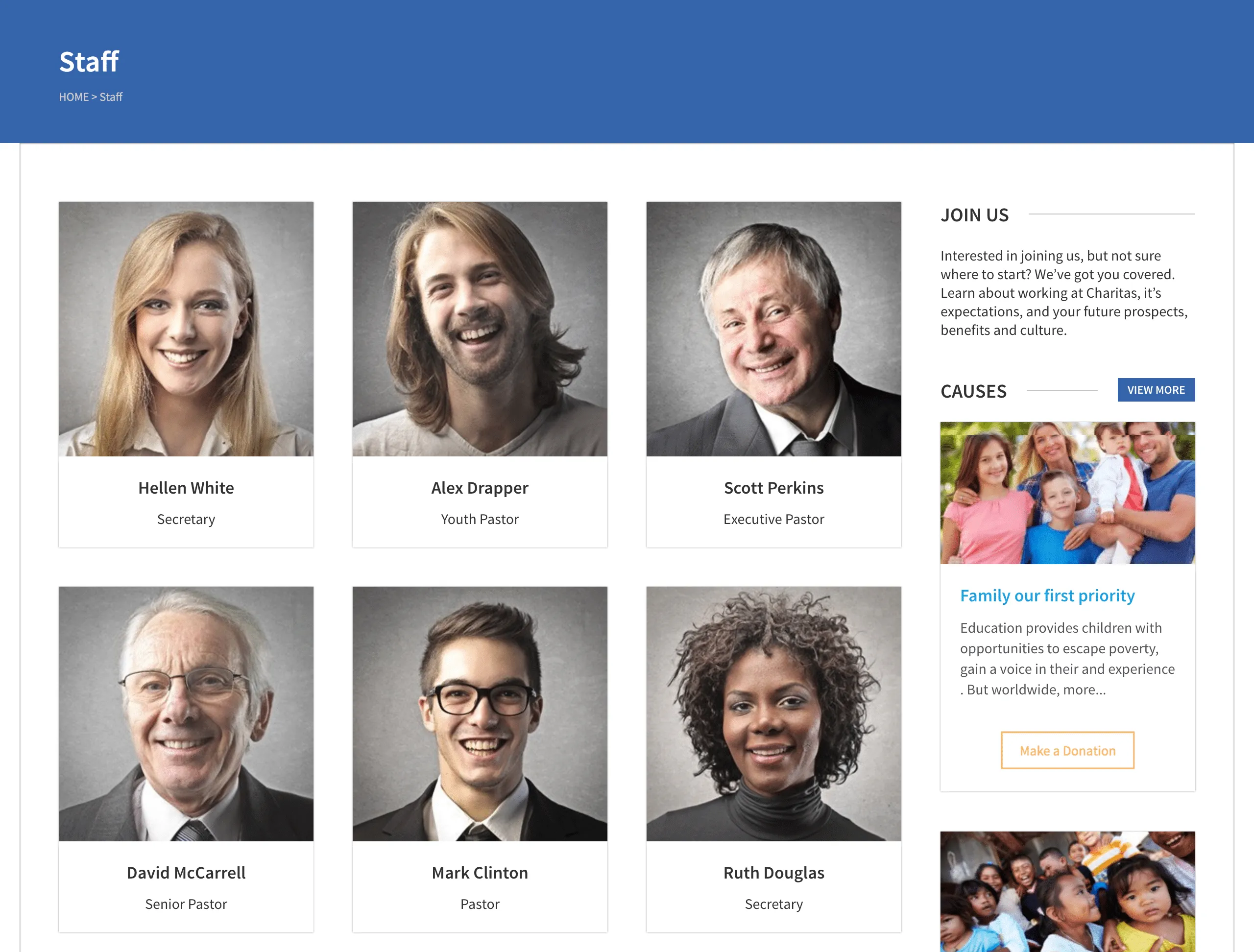
The Staff/Team Grid template.
Setting Up a Staff Page
Section titled “Setting Up a Staff Page”To display either a grid of staff, first create a new page by selecting Pages → Add New from the main menu. You can name this page whatever you like, give it a header image, etc.
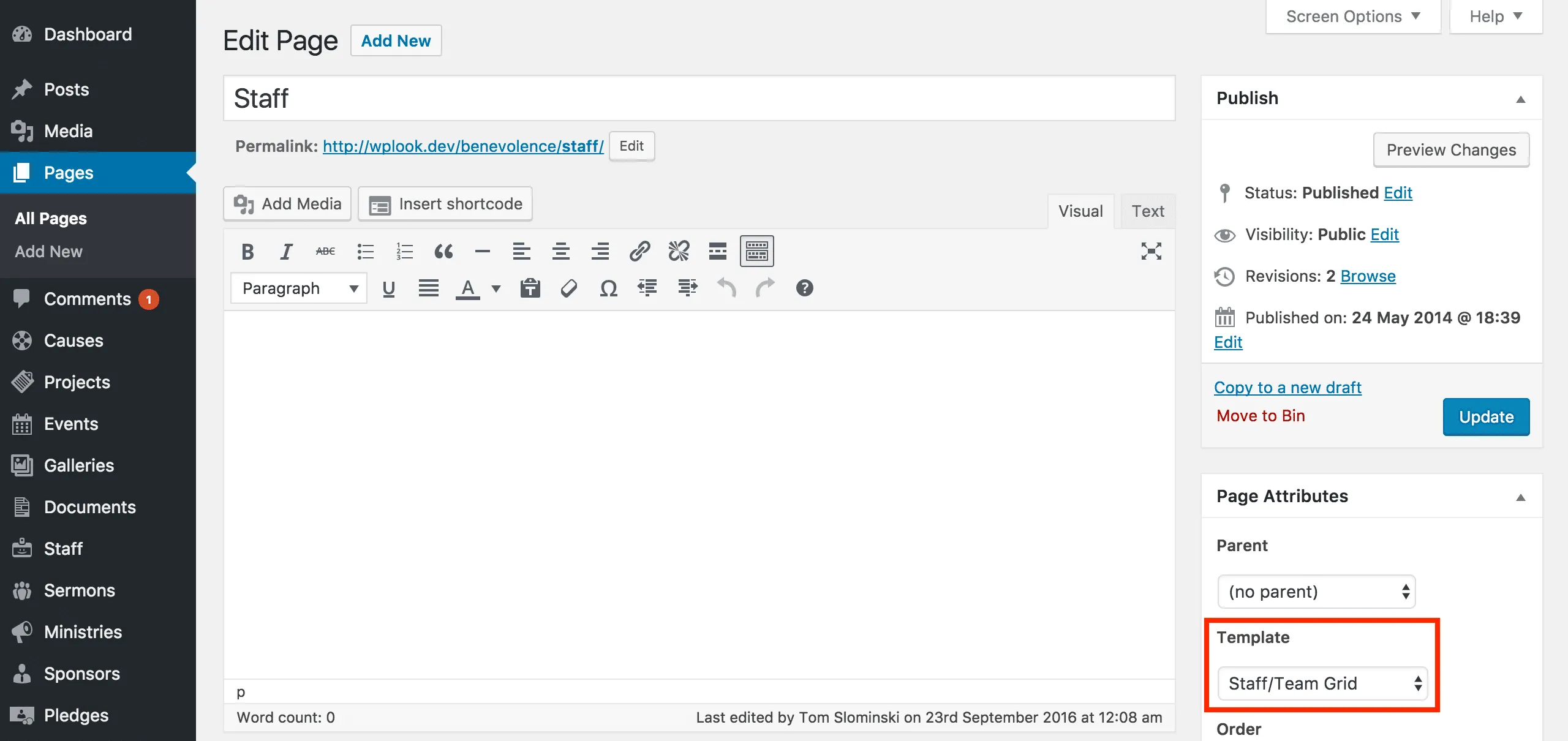
The Add New Page screen, with the Template field highlighted.
Importantly, select Staff/Team Grid from the Template section of the Page Attributes box. Save the page. Your staff will now be displayed on that page.
Add the page to a menu using Appearance → Menus, or link to it from elsewhere on your site, to make your staff page accessible to users.
Still stuck?Our support team can help with this theme. Include a link to this page in your ticket.
Submit a ticket