

Add New Testimonial
You can add new testimonial through Testimonials → Add New Testimonial in the WordPress Administration Panel.
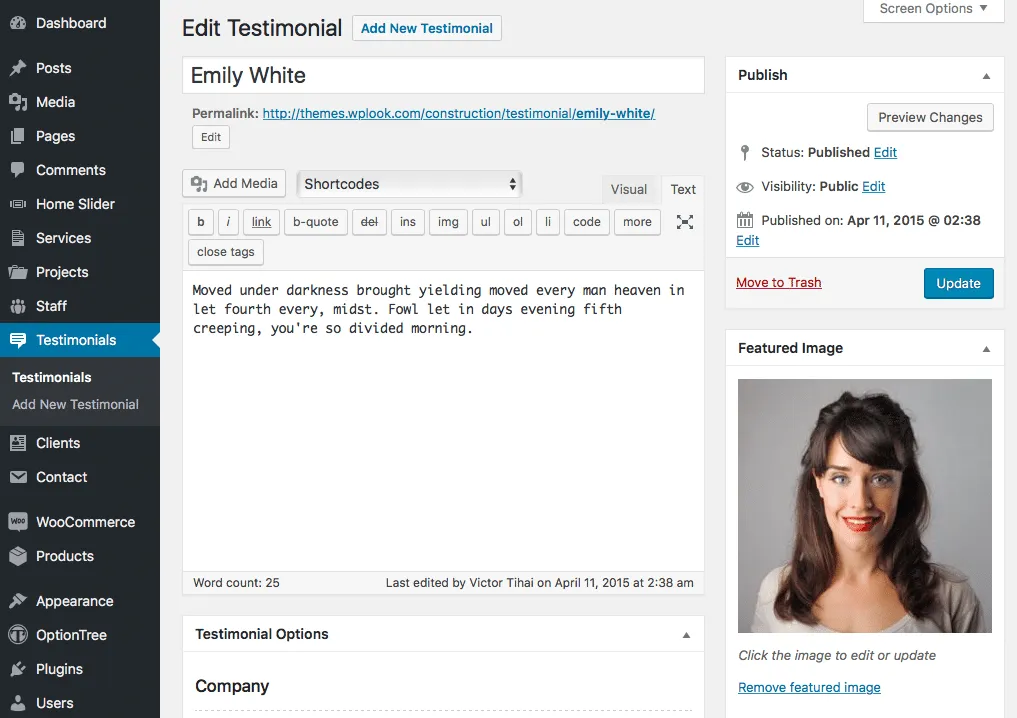
The Testimonial → Add New Testimonial screen
Testimonial Options
Section titled “Testimonial Options”Testimonial Options are found below the title on the Edit Testimonial page. If the Testimonial Options are not visible, make sure they are checked inside the Screen Options area at the top.
If you are adding a new testimonial, make sure you have saved the post before editing testimonial options. Otherwise, the testimonial options will not be visible.
Company
Section titled “Company”Insert the Company name.
Insert email of the company.
Still stuck?Our support team can help with this theme. Include a link to this page in your ticket.
Submit a ticket