

Events
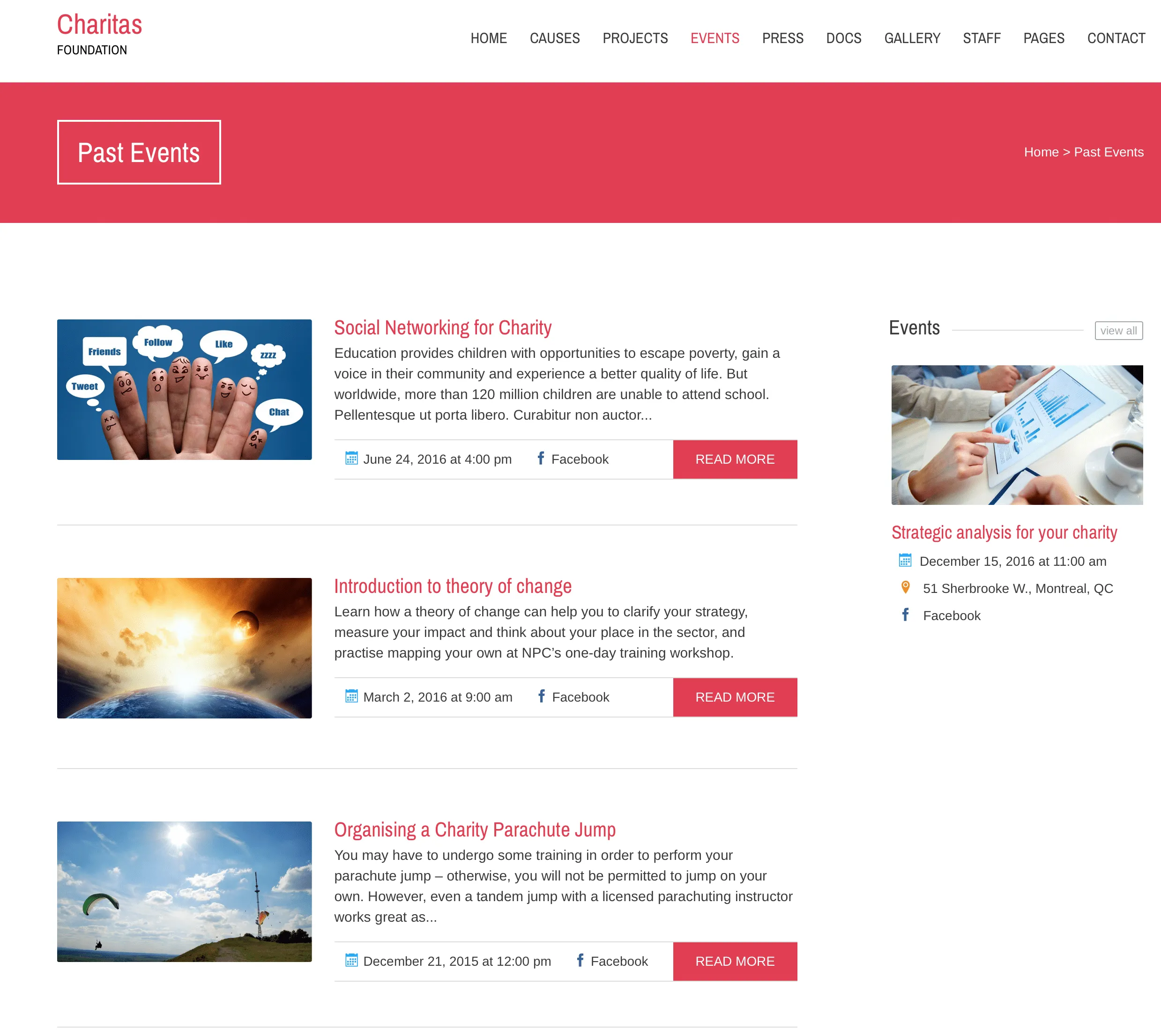
The Charitas theme comes with two page templates to display Events.
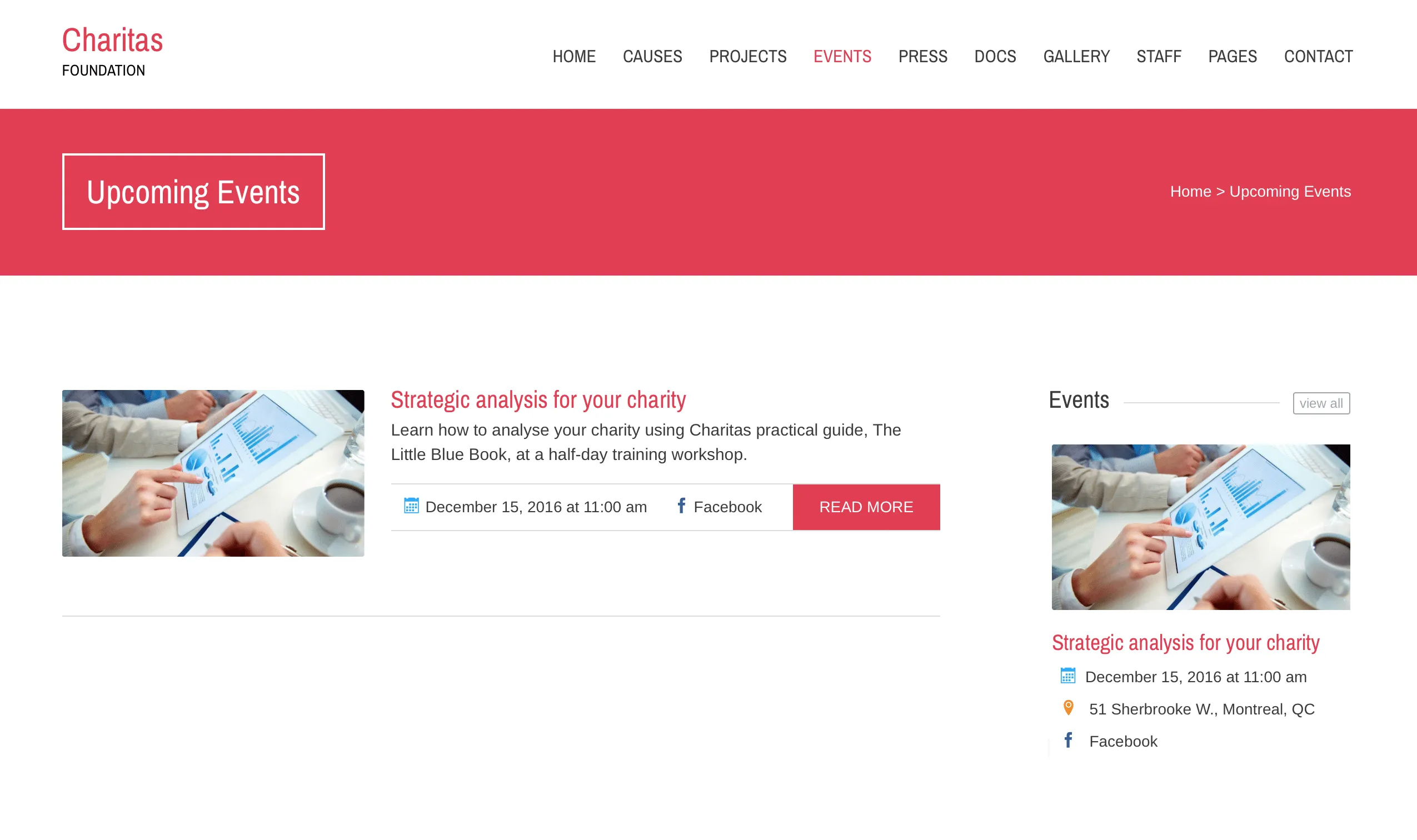
Upcoming events
Past Events
Setting Up an Events Page
Section titled “Setting Up an Events Page”To display events using any of these templates, first create a new page by selecting Pages → Add New from the main menu. You can name this page whatever you like, give it a header image, etc.
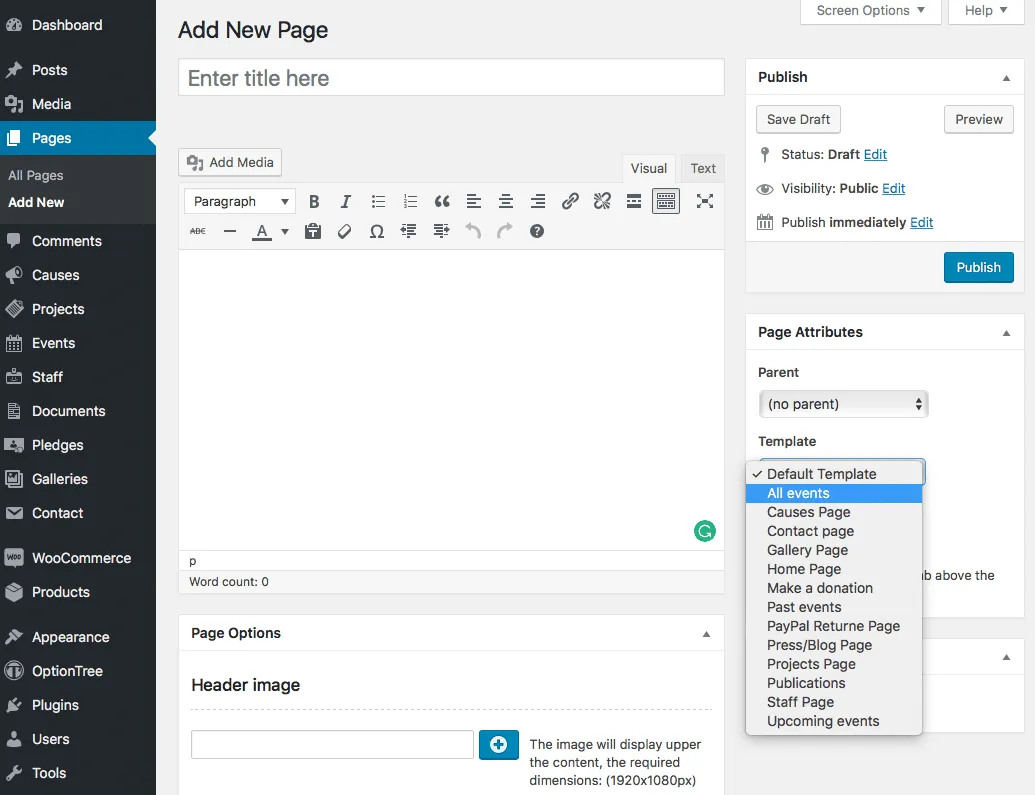
Importantly, select either Events**: Past** or Upcoming Events. Save the page. Your events will now be displayed on that page.
Add the page to a menu using Appearance → Menus, or link to it from elsewhere on your site, to make your events page accessible to users.
Still stuck?Our support team can help with this theme. Include a link to this page in your ticket.
Submit a ticket