



Planning a conference or event? Your website needs the right theme. This guide shows you how to choose the best WordPress theme for conference and event websites.
Event organizers need websites that stand out and look professional. Whether you are planning a business conference, exhibition, concert, or meetup, your website sets expectations. The right theme makes event promotion easy and helps sell tickets.
Why Your Theme Choice Matters
A good conference theme does more than look nice. It provides features designed for events:
- Schedule and session management
- Speaker profiles and bios
- Sponsor showcase areas
- Ticket sales integration
- Countdown timers
- Venue and location information
- Registration forms
A generic theme can work, but you will spend time adding these features manually. Event themes include them built-in.
Key Features to Look For
1. Responsive Design
Your theme must look good on all devices. Attendees check event details on phones and tablets. A responsive design adapts to any screen size automatically.
Test the theme demo on your phone. Navigate through pages. If anything looks broken or hard to use, choose a different theme.
2. Fast Loading Speed
Slow websites lose visitors. Event websites often have images and videos that can slow things down. Choose a theme optimized for performance.
Look for themes with speed grades of A90% or higher. The Conference theme achieves A97% speed grade.
3. Event Schedule Features
Schedules are central to conference websites. Attendees need to know what happens when. Look for themes with:
- Multi-day schedule support
- Multiple tracks or rooms
- Session details with speakers
- Filterable views
- Printable schedules
4. Speaker Management
Speakers attract attendees. Your theme should showcase them well:
- Speaker profile pages
- Photo galleries
- Bio and credentials
- Social media links
- Session associations
5. Ticket Sales Integration
Selling tickets online is essential. Look for integration with:
- Eventbrite
- WooCommerce
- PayPal direct
- Stripe payments
- Ticket plugins
6. Sponsor Showcase
Sponsors fund many events. Give them visibility with:
- Logo carousels
- Tiered sponsor levels
- Links to sponsor sites
- Featured sponsor sections
7. Countdown Timer
Countdown timers create urgency and excitement. They remind visitors when the event starts. Most event themes include customizable timers.
8. Color and Customization Options
Your event has branding. The theme should let you match it:
- Color scheme options
- Custom fonts
- Logo upload
- Header and footer customization
- Background options
Recommended: Conference WordPress Theme

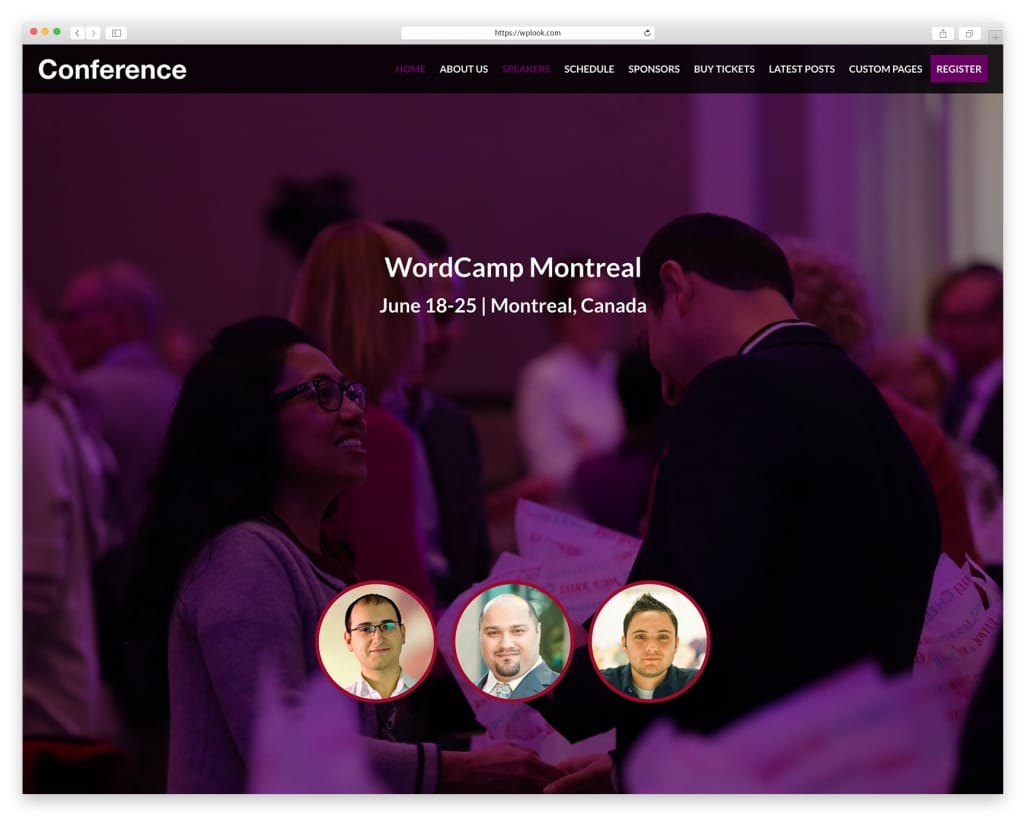
The Conference theme is purpose-built for events. It includes everything you need for conferences, meetups, exhibitions, and congresses.
Key features:
- Unlimited color schemes
- Responsive design for all devices
- Schedule, speakers, sponsors sections
- Latest posts integration
- Child theme included
- Translation ready
- Eventbrite ticket integration
- Speed Grade: A97%
The theme lets you organize events and promote speakers. Sell tickets directly with PayPal or through Eventbrite. All features work together seamlessly.
Get Conference Theme Get HostingOther Event Theme Options
Explore more conference and event WordPress themes at WPlook. Each is designed for specific event types with relevant features.
Setting Up Your Event Website
Once you choose a theme, follow these steps:
- Get WordPress hosting
- Install WordPress
- Upload and activate your theme
- Import demo content
- Customize with your event details
- Add speakers and schedule
- Set up ticket sales
- Launch and promote
For complete instructions, read our guide on how to make a website.
Frequently Asked Questions
- Can I use a regular theme for events?Yes, but you will need plugins to add event features. A purpose-built event theme saves time and ensures features work well together.
- Do I need WooCommerce for tickets?Not necessarily. Many event themes integrate with Eventbrite or PayPal directly. WooCommerce is optional for more complex ticketing needs.
- Can I reuse the theme for future events?Yes. Simply update the content for your new event. The theme structure stays the same. One purchase works for unlimited events on one site.
Conclusion
The best WordPress theme for conferences includes schedules, speakers, sponsors, and ticket sales. Look for responsive design, fast loading, and customization options. The Conference theme provides all these features optimized for events.
Start building your event website today. Choose a theme, set up hosting, and customize for your conference. Your attendees will appreciate a professional, easy-to-navigate website.
Get Conference Theme