


Time moves fast when you’re raising a family. Your child crawls today and walks tomorrow. Before you know it, years have passed. Those hilarious breakfast moments you swore you’d remember forever? Gone within hours. A family blog preserves these precious memories.
Family blogs do more than document milestones. They connect distant relatives, share daily joys, and create a lasting record of your family’s story. This guide shows you how to start a family blog that your whole family will treasure. It’s part of our complete beginner’s guide to starting a blog.


Why Start a Family Blog?
Millions of blogs exist for fashion, music, and business. Family blogs stand out because they serve a deeply personal purpose. They keep families connected across distances and preserve moments that would otherwise fade from memory.
Benefits of family blogging:
- Preserve memories – Capture moments before they slip away
- Connect with relatives – Keep distant family informed
- Document milestones – First steps, birthdays, achievements
- Share without spamming – No more mass emails or messages
- Create a family archive – Stories your children will cherish
- Celebrate daily life – Find joy in ordinary moments
Busy parents don’t have time for letters and cards. A blog lets you share updates once, and everyone can check in at their convenience. Grandparents, aunts, uncles, and cousins stay connected without flooding anyone’s inbox.
Choose Your Blogging Platform
Different platforms serve different needs. Family blogs need reliability, ease of use, and the right features for sharing photos and stories. WordPress offers the perfect balance.
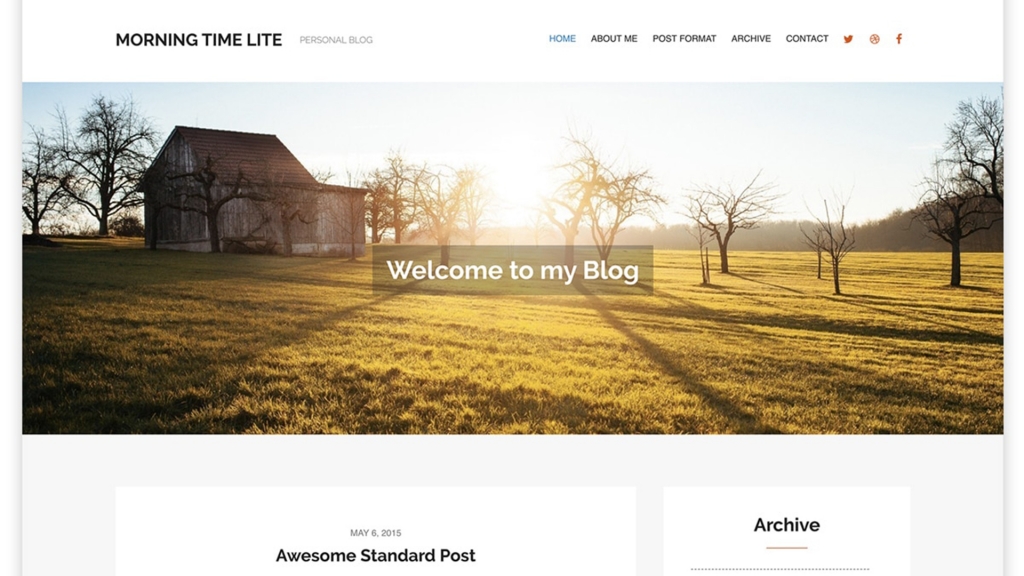
The Family Blog theme by WPlook Studio was built specifically for family bloggers. Whether written by one parent, both parents, or the entire family, this theme captures and chronicles your everyday life.
Family Blog theme features:
- Beautiful, family-focused design
- Multiple post formats for variety
- Unique archive for easy browsing
- Responsive design for all devices
- Simple yet powerful functionality
- Privacy options for family-only sharing
Pick Your Blog Name
Your blog name should reflect your family identity. Keep it simple and meaningful. Ideas include:
- Your family surname (The Smiths, Smith Family)
- A family nickname or inside joke
- Combined first names
- A meaningful phrase to your family
- Location-based names (Smiths of Seattle)
Check that your chosen name is available as a domain. Register your domain as soon as you decide. Good names get taken quickly.
Set Up Your Family Blog
Setting up a family blog takes just a few steps:
- Register your domain – Your blog’s address
- Get web hosting – WPlook hosting offers reliable WordPress hosting
- Install WordPress – One-click installation available
- Add your theme – Family Blog theme recommended
- Customize – Add photos, colors, and your personality
Customize Your Blog
WordPress makes customization easy. Change colors, add photos, and personalize every detail. Your blog should reflect your family’s personality.
Customization options include:
- Header images with family photos
- Background colors or images
- Sidebar widgets for recent posts
- Custom menus for easy navigation
- Photo galleries for events
Create Your Content
Think about your audience. Family members want to see what’s happening in your life. Keep posts short and sweet. Photos make posts more engaging.
Content ideas for family blogs:
- Milestones – First words, steps, teeth, school days
- Family outings – Trips, parks, activities
- Holidays – Celebrations and traditions
- Daily moments – Funny quotes, small victories
- Recipes – Family favorites and new discoveries
- Updates – News, changes, announcements
Tips for better family blog posts:
- Keep posts focused on highlights, not everything
- Add photos to every post when possible
- Write naturally like you’re talking to family
- Post regularly but don’t stress about schedules
- Share the best moments, not every moment
Share with Family
A blog nobody reads defeats the purpose. Tell your family about your new blog. Make it easy for them to follow along.
Ways to keep family engaged:
- Send the blog link to relatives
- Enable email subscriptions for updates
- Share new posts on social media
- Set up RSS feeds for easy following
- Text or call elderly relatives who may need help accessing it
Nothing motivates like knowing people are reading. When you see page views climb after new posts, you’ll want to keep sharing.
Privacy Considerations
Family blogs often include children’s photos and personal information. Consider your privacy needs:
- Password protection – Limit access to family only
- Search engine settings – Block search indexing if desired
- Child names – Use nicknames if concerned
- Location sharing – Avoid real-time location posts
- Photo choices – Be thoughtful about what you share
WordPress offers privacy settings that let you control who sees your content. Discuss these options with your family before posting.
Frequently Asked Questions
- Is a family blog different from social media?Yes. Social media posts disappear in feeds within hours. A blog creates a permanent archive you control. You own your content, organize it how you want, and access it years later. It becomes a family history book.
- How often should I post?Post when you have something worth sharing. Weekly works well for active families. Monthly keeps relatives connected without overwhelming your schedule. Quality matters more than frequency.
- Can the whole family contribute?Absolutely. WordPress allows multiple authors. Kids can write posts when they’re old enough. Both parents can contribute. Family blogs work best when everyone participates.
- What about privacy for my kids?You control what you share. Use password protection for family-only access. Avoid sharing identifying details like school names or addresses. Think about each photo before posting. Your children’s privacy matters.
- Will relatives actually read it?Most family members appreciate staying connected. Grandparents especially love seeing grandchildren grow. Make posts easy to read with lots of photos. Email them when you post something special.
- How much does a family blog cost?Basic costs include domain registration ($15/year) and hosting ($5-15/month). The Family Blog theme is a one-time purchase. Total first-year cost is typically under $150 for a professional family blog.
Start Preserving Memories Today
Your children are growing every day. Moments that seem unforgettable right now will fade with time. A family blog captures these memories permanently. Your children will thank you when they’re older and can look back at their childhood documented with love.
Start your family blog today. Future you will be grateful.