

Add New Project
You can add new projects through Projects → Add New Project in the WordPress Administration Panel.
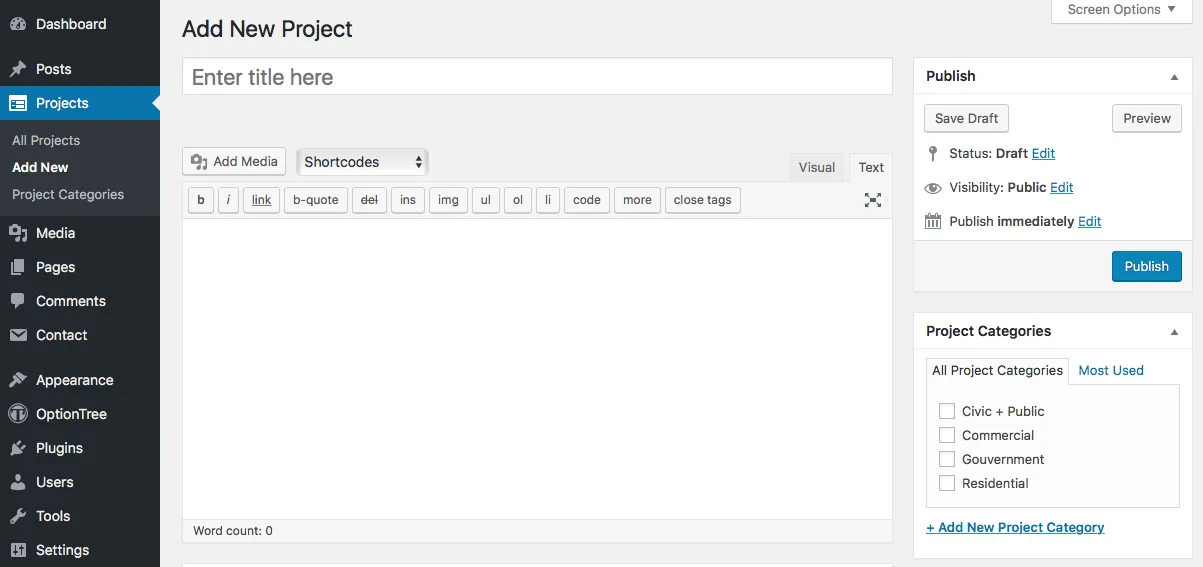
The Projects → Add New Project screen
Projects contain most of the same options as standard posts. You can read about these in the Add New Post chapter. Additionally, they contain post options specific to projects.
Project Options
Section titled “Project Options”Project Options are found below the editor on the Edit Project page. If the Project Options are not visible, make sure they are checked inside the Screen Options area at the top.
If you are adding a new project, make sure you have saved the post before editing project options. Otherwise, the project options will not be visible.
Project Metadata (Sidebar Layout Only)
Section titled “Project Metadata (Sidebar Layout Only)”These informations will be retrieved and displayed only if you use the Sidebar Project Layout which you can set within the Layout & Styles tab at your left.
Case Study
Section titled “Case Study”The sidebar text is visible under the project title within the right sidebar layout. If you use the fullwidth layout, you can leave this field empty.
Client
Section titled “Client”Enter the name of your client.
Geographic Location
Section titled “Geographic Location”Enter the geographic location of the project. It could be a town, a city or a country.
Enter the cost of this project.
Status
Section titled “Status”Enter the current status of this project.
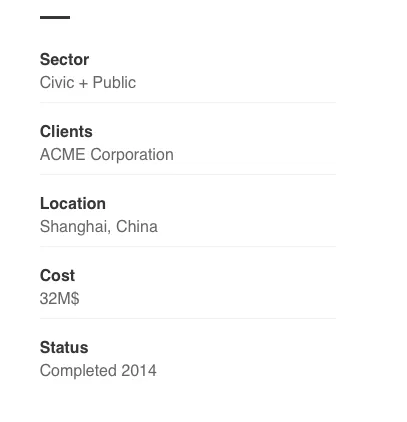
Example
- Project Layout: Choose the layout of the page for your project.
- Cover Text Color: Choose the color white or black.