

All Projects
Projects are a post type ideally suited to displaying the work that your organisation does.
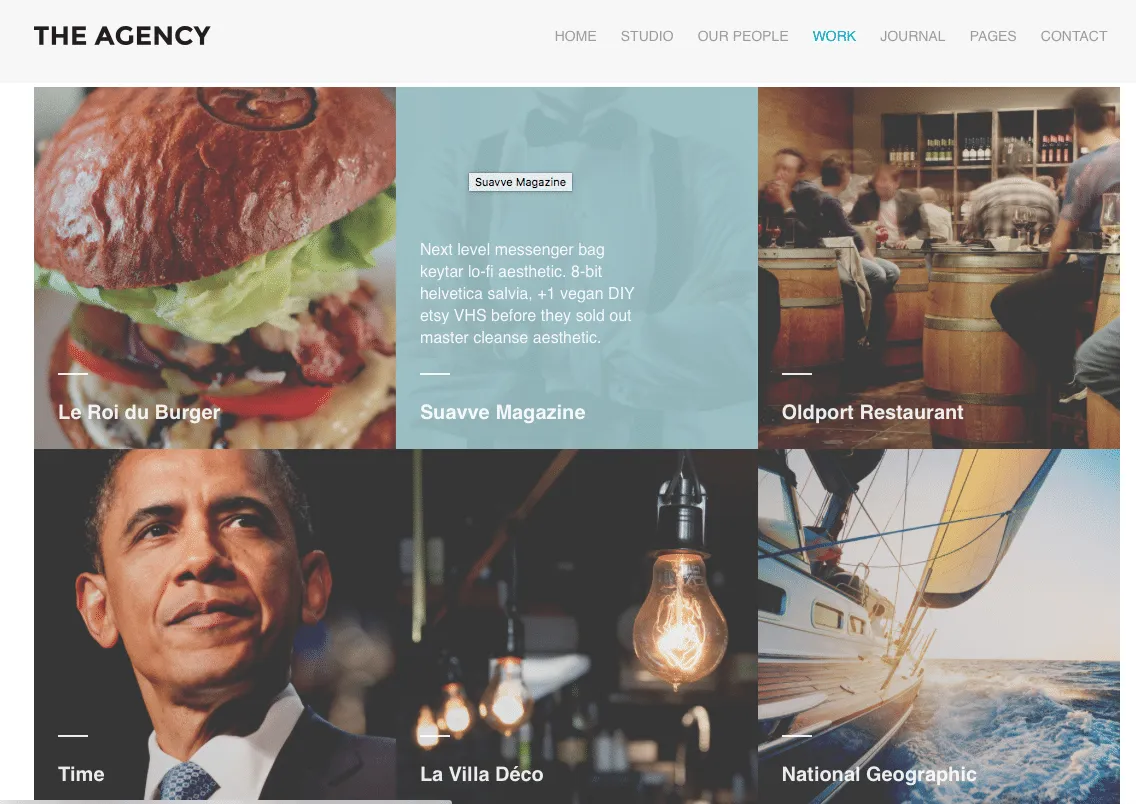
Example of projects page
The All Projects Screen
Section titled “The All Projects Screen”The All Projects screen inherits most of the features of the standard posts screen. You can edit, delete or view individual projects using the links under the project titles. You can select multiple projects for deletion and editing. Bulk edit changes certain fields for a group of projects at once. Quick edit updates many fields of a single project without opening it. Various search and filtering options let you find the project you want to edit or delete.
The Table of Projects
Section titled “The Table of Projects”A table lists all of your projects. By default, the projects are listed with the newest project first, but they can also be sorted by title.
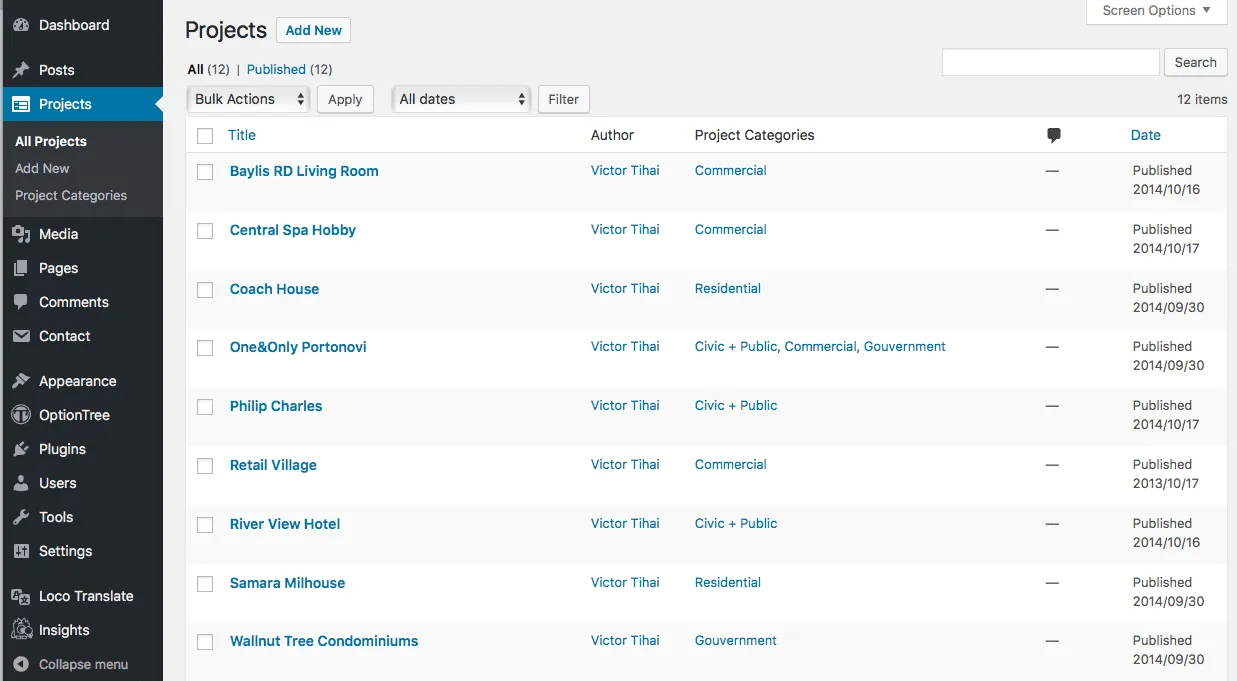
The All Projects screen
- [ ]: This checkbox, when checked, selects that particular project to be processed by a bulk action, such as edit or delete.
- Title: This is the project title displayed as a link. Click the title link to edit this project. Next to the title, if a project is of a Draft, Private, Pending, or Password Protected nature, bold text will display showing that. Hovering over the Title displays the unique identifier (ID) of a post.
- Author: The name of the author will be shown.
- Project categories: Choose the category where you want the project to be displayed.
- Comment bubble: A comment bubble is the column heading, and each project row has a comment bubble with the number of comments for that project. If a project has any comments, then the number of comments is displayed in a blue bubble. Clicking on a blue comment bubble causes the comments screen to be displayed to allow moderation of those comments.
- Date: The date column for each project shows the date Published for published projects or the date Last Modified for other projects. If the project is a future project, the scheduled date for publishing is displayed.
Still stuck?Our support team can help with this theme. Include a link to this page in your ticket.
Submit a ticket