

Add New Doctor
You can add new doctors through Doctors → Add New Doctor in the WordPress Administration Panel.
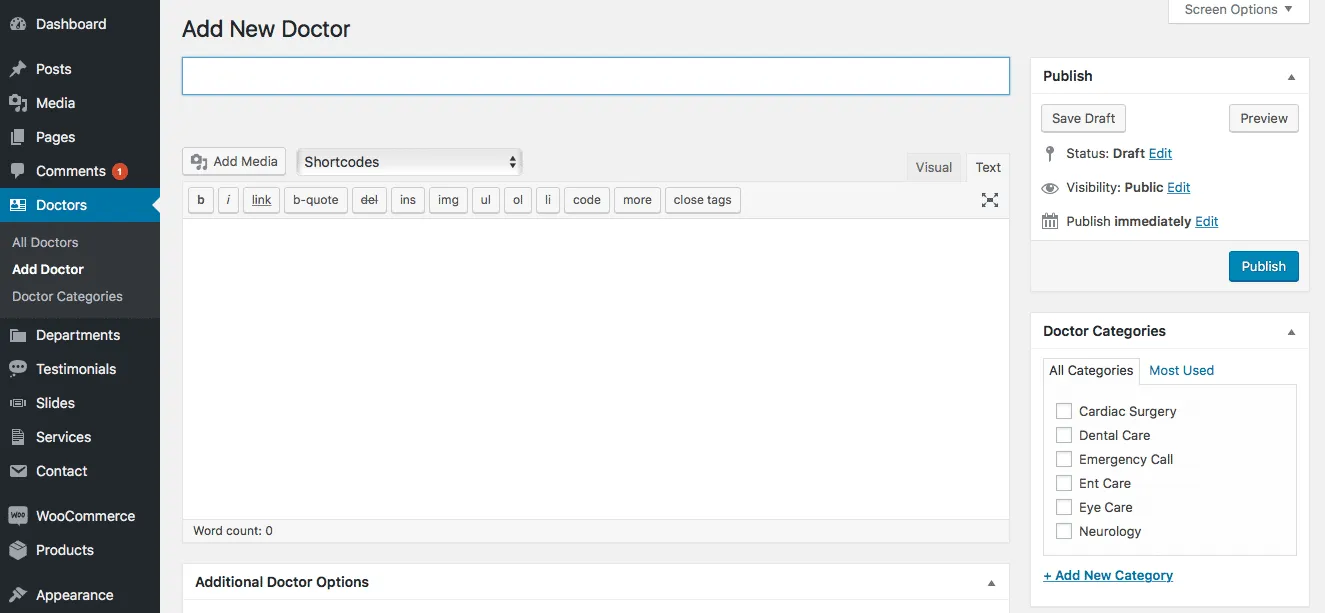
The Doctors → Add New Doctor screen
Unlike other post types, doctors do not contain most of the same options as standard posts. They support only a few specific fields.
Additional Doctors Options
Section titled “Additional Doctors Options”
Doctor page
Doctor Photo
Section titled “Doctor Photo”Add a photo of the doctor. If you don’t add a header image, the default background color will be displayed.
Doctor Job Title
Section titled “Doctor Job Title”The position of the doctor member within your company.
Social Networking Links
Section titled “Social Networking Links”A list of social icons which will be displayed using icons alongside other information about this staff member. Click the Add New button in order to add a social network.
Each social network has the following fields:
- Set the Title to anything you want, it will not be displayed on the site.
- The Service Name will be displayed once the user hovers over the social network icon.
- The URL is where the social network icon will link to.
- The Icon can be picked from the list of icons next to the input field.
Opening times
Section titled “Opening times”Press the Add New button in order to add opening hours.
Still stuck?Our support team can help with this theme. Include a link to this page in your ticket.
Submit a ticket