

Add Slide
You can add new slides through Slider → Add Slide in the WordPress Administration Panel.
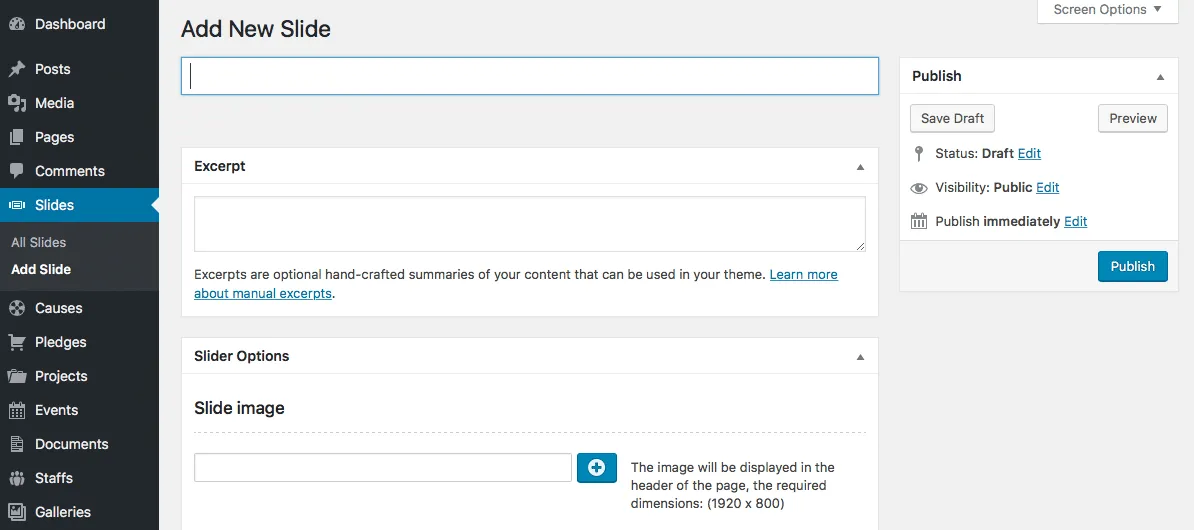
The Slider → Add Slide screen
Slides are limited to only a certain subset of the options of standard posts, because they don’t contain any real content.
Slide Image
Section titled “Slide Image”The image will be displayed in the header of the page, the required dimensions: (1920 x 800)
Action Button text
Section titled “Action Button text”This is the content of the button used to link to another post or external page. Keep this field empty if you don’t want to display a button.
Action Button URL
Section titled “Action Button URL”This is the URL linking to another post or external page. Keep this field empty if you don’t want to display a button.
Action Button 2 Text
Section titled “Action Button 2 Text”Add text to the button.
Action Button 2 URL
Section titled “Action Button 2 URL”Add button URL.
Still stuck?Our support team can help with this theme. Include a link to this page in your ticket.
Submit a ticket